

Download the Chelugala (Video Playout Software) A Modern Broadcast Automation Solution for 2026 from this link…

Overview of the Software
Table of Contents
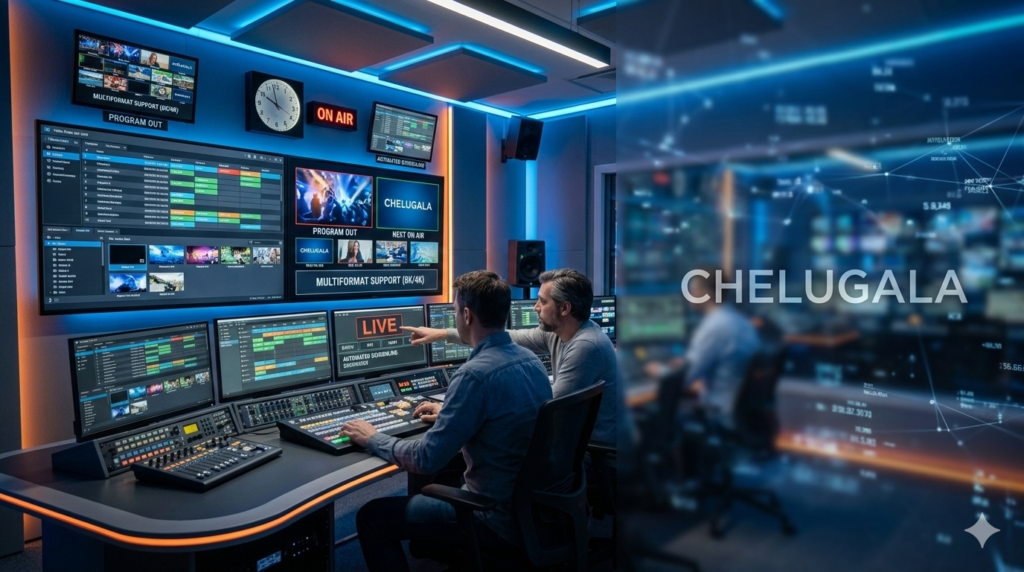
Chelugala is a professional-grade broadcast automation system engineered to manage and deliver scheduled content with precision. It acts as the central brain of a broadcast operation, controlling how pre-recorded videos, live feeds, advertisements, and on-screen graphics are sequenced and transmitted. Built to adapt to the industry’s shift from traditional tape-based systems to modern IP and cloud-driven infrastructures, Chelugala offers a stable, intelligent platform that minimizes human error and maximizes operational efficiency. It serves as a comprehensive solution for television stations, OTT broadcasters, and content creators who require a reliable, feature-rich playout server.
Key Features
Chelugala’s power lies in its robust feature set, designed to address the core needs of any broadcast operation.
-
Centralized Multi-Channel Management
Control multiple channels from a single, unified interface. This centralized approach simplifies complex operations, allowing a single operator to manage playlists, monitor output, and oversee the health of an entire channel portfolio without needing separate systems for each feed. -
Advanced Playout Scheduling & Automation
The software’s core is its powerful scheduling engine. Operators can build detailed, frame-accurate playlists for days or weeks in advance. The system automates the entire transmission process, ensuring seamless transitions between programs, commercials, promos, and filler content. -
Dynamic Graphics & Channel Branding Integration
Enhance your channel’s identity with integrated branding tools. Chelugala supports dynamic overlay of graphics, including logos, lower thirds, news tickers, and animated bugs. These elements can be scheduled within playlists or triggered manually, ensuring a consistent and professional on-air look. -
Seamless IP and Cloud Adaptability
Fully embracing modern broadcast standards, Chelugala integrates smoothly with IP-based workflows. It supports cloud-based deployment, enabling remote operation and global content delivery without the need for heavy, on-premise hardware. This makes it ideal for broadcasters looking to reduce infrastructure costs and scale rapidly. -
Intelligent Error Handling & Redundancy
Reliability is paramount for 24/7 broadcasting. Chelugala features proactive error detection and recovery mechanisms. If a file is corrupted or a network stream fails, the automation engine can instantly switch to pre-defined backup content or a filler clip, protecting your on-air continuity and preventing black screens. -
Structured Media Asset Management
Efficiently manage large media libraries with built-in organizational tools. Operators can categorize, tag, and apply metadata to media assets. This powerful search functionality allows for quick retrieval of specific programs, commercials, or clips, streamlining the playlist creation process.
What’s New in Chelugala (2026 Version)
The latest version of Chelugala focuses on enhancing user control, expanding cloud capabilities, and improving workflow intelligence.
-
Enhanced Cloud Workflow Integration: Deeper integration with major cloud storage providers for more seamless file ingestion and playout directly from the cloud.
-
Advanced FAST Channel Management: New tools specifically designed for FAST (Free Ad-Supported Streaming TV) channels, including dynamic ad insertion scheduling and improved content rotation logic.
-
Refined User Interface (UI): A more intuitive dashboard with customizable views, allowing operators to monitor the most critical data for their specific role at a glance.
-
Improved Metadata Handling: Expanded support for industry-standard metadata schemas, making it easier to automate playlists based on content type, genre, or viewer ratings.
-
Enhanced Redundancy Protocols: More sophisticated failover options, including support for geographic redundancy in cloud-based deployments.
System Requirements
To ensure optimal performance and stability, your system should meet the following specifications. These are general guidelines; high-channel-count or UHD workflows may require more powerful hardware.
Minimum Requirements:
-
Operating System: Windows 10/11 (64-bit), Windows Server 2019 or later; Modern Linux Distributions (e.g., Ubuntu 20.04+)
-
Processor: Intel Core i7 or equivalent (multi-core recommended)
-
RAM: 16 GB
-
Storage: SSD with at least 500 GB free space for the operating system and software; high-capacity HDDs or NAS for media storage.
-
Graphics Card: Dedicated GPU supporting DirectX 11 or OpenGL 3.2 (e.g., NVIDIA Quadro/GeForce series)
-
Output Hardware: Compatible SDI/HDMI output card (for traditional broadcast) or high-bandwidth network interface (for IP streaming).
Recommended Requirements (for 24/7 Multi-Channel HD Operation):
-
Operating System: Windows Server 2022 or Ubuntu 22.04 LTS
-
Processor: Intel Xeon or AMD EPYC, or high-end Intel Core i9
-
RAM: 32 GB or more
-
Storage: NVMe SSD for OS and cache; RAID-configured storage array for media.
-
Graphics Card: Professional-grade GPU (e.g., NVIDIA Quadro RTX/AMD Radeon Pro)
-
Output Hardware: Redundant, high-quality SDI/IP output cards.
Installation Guide
Setting up Chelugala correctly is the first step to a reliable broadcast operation.
-
System Preparation: Ensure your server meets the recommended system requirements. Perform a clean installation of your chosen operating system and install all the latest drivers, especially for your graphics and output hardware.
-
Download the Installer: Download the official Chelugala installation package from the developer’s official website.
-
Run the Installer: Execute the installer as an administrator. Follow the on-screen prompts to accept the license agreement and choose an installation directory (the default is usually
C:\Program Files\Chelugala). -
Configure Database: During installation, you will be prompted to configure the media database. For single-server setups, a local database is sufficient. For multi-channel or multi-user environments, connecting to a shared network database (like MySQL or PostgreSQL) is recommended.
-
Hardware Output Setup: After installation, launch the Chelugala configuration tool. Here, you will map your video output hardware (e.g., Blackmagic DeckLink card) to the software’s playout channels. Configure your audio routing and video standards (e.g., 1080i, 720p).
-
Initial Scan and Library Setup: Finally, point the software to your media storage folders. Chelugala will scan these folders and begin building its media asset database, making your files available for scheduling.
How to Use the Software: A Beginner’s Workflow
Getting started with Chelugala involves a logical, step-by-step process.
-
Importing Media: Navigate to the Media Library section. You can drag and drop video files directly into the interface or set up watched folders that automatically ingest new content. The system will analyze the files and extract metadata.
-
Creating a Playlist: Go to the Scheduler module. Create a new playlist for your desired date and channel. You can build the playlist by dragging items from the Media Library into the timeline.
-
Adding Graphics: To insert a channel logo or a lower-third, navigate to the Graphics tab. Design your elements or import pre-made templates. These can then be dragged onto the playlist timeline as overlay events.
-
Scheduling and Automation: Once your playlist is complete, assign it to a specific date and time. The software will automatically take control at the designated start time, playing each item in sequence.
-
Monitoring Live Output: During transmission, the main dashboard provides a real-time view of the currently playing content, the upcoming items, and the health of your system. You can manually pause, skip, or insert content if necessary.
Best Use Cases
Chelugala is versatile enough to support a wide range of broadcast and streaming scenarios.
-
24/7 Linear Television Channels: Ideal for local TV stations, community channels, and religious networks that need a reliable, automated solution for round-the-clock programming.
-
OTT and Streaming Platforms: Perfect for digital-first broadcasters launching new OTT services who need a cloud-ready playout system that can deliver content directly to streaming encoders.
-
FAST Channel Operators: With its enhanced FAST channel management features, Chelugala is an excellent choice for companies creating and managing multiple free, ad-supported channels.
-
Corporate and Campus Networks: Large organizations and educational institutions can use Chelugala to manage internal TV networks for announcements, training videos, and campus events.
-
Regional and Thematic Channel Management: Broadcasters operating multiple regional feeds with localized ads can leverage Chelugala’s multi-channel management for efficient, centralized control.
Advantages and Limitations
Like any professional tool, Chelugala has its strengths and potential drawbacks.
Advantages
-
Robust Stability: Designed for mission-critical 24/7 operation with strong error handling.
-
Scalability: Easily scales from a single channel to a multi-channel network from one interface.
-
Modern Workflow Support: Excellent integration with IP and cloud-based infrastructures.
-
Cost-Effective: Can be a more affordable alternative to enterprise-level giants like Harmonic or Amagi, especially for smaller to mid-sized broadcasters.
-
Comprehensive Branding Tools: Integrated graphics capabilities reduce the need for external character generators.
Limitations
-
Learning Curve: The depth of features can be initially overwhelming for users with no prior broadcast automation experience.
-
Community and Support: Compared to industry titans, the user community and available online tutorials might be smaller, making direct vendor support more critical.
-
Hardware Dependency: For SDI outputs, it relies on compatible third-party broadcast hardware (like AJA or Blackmagic cards), which requires careful selection and configuration.
Alternatives to Chelugala
The broadcast automation market offers several other powerful solutions. Here’s how Chelugala compares to some top competitors.
-
OBS Studio: A free and open-source alternative. While powerful for live streaming and basic recording, it lacks the advanced scheduling, multi-channel control, and broadcast-specific automation (like frame-accurate playback and error recovery) required for professional linear TV playout.
-
vMix: A popular software solution for live production and streaming. It excels in live switching and mixing but is less focused on the long-term playlist automation and scheduled playback that are Chelugala’s core strengths.
-
PlayBox Technology AirBox: A direct competitor in the professional playout space. It offers similar features for channel-in-a-box solutions. Chelugala might be distinguished by its pricing structure or more modern cloud-native features depending on the specific version.
-
Amagi CLOUDPORT: A major player in cloud-managed playout for FAST and OTT channels. It is a fully managed SaaS platform. Chelugala offers a different model, providing the software for you to manage on your own infrastructure or in the cloud, offering more direct control.
-
Harmonic Spectrum: An enterprise-grade, hardware/software solution for massive-scale broadcast operations. It is significantly more complex and expensive, targeting top-tier media companies, whereas Chelugala is positioned for a broader range of broadcasters.
Frequently Asked Questions (FAQ)
Q1: What is Chelugala video playout software used for?
Chelugala is a broadcast automation solution used to schedule, manage, and play out video content for television channels, OTT platforms, and streaming services. It automates the entire transmission process, ensuring that programs, ads, and graphics air in the correct order and at the correct time.
Q2: What are the main system requirements for running Chelugala?
For optimal performance, a system with a multi-core Intel Xeon or Core i7/i9 processor, a minimum of 16-32GB of RAM, an SSD for the operating system, and a dedicated GPU is recommended. It runs on 64-bit Windows Server/Windows 10/11 and modern Linux distributions.
Q3: Does Chelugala support cloud-based broadcasting?
Yes, Chelugala is built with modern workflows in mind and supports cloud-based deployment. This allows operators to manage playout remotely and deliver content over IP networks, making it a great fit for broadcasters looking to reduce on-premise hardware.
Q4: Can Chelugala manage multiple channels at the same time?
Absolutely. One of its key strengths is centralized multi-channel management, allowing a single operator to control and monitor several distinct channels from one unified interface, simplifying workflows for channel portfolios.
Q5: Is Chelugala suitable for live broadcasting?
Yes. While its core strength is automated playout of recorded content, it supports hybrid workflows. It can seamlessly integrate live feeds into a scheduled playlist, allowing for smooth transitions between live events and pre-recorded segments.
Q6: How does Chelugala handle on-air graphics and branding?
Chelugala has integrated branding tools that allow users to create and schedule dynamic graphics overlays, including logos, lower thirds, and tickers. These elements can be automated within a playlist for a consistent and professional brand presence.
Q7: What happens if a video file fails to play during broadcast?
Chelugala features intelligent error handling. If a file fails or a network stream is interrupted, the automation system can automatically trigger a pre-defined response, such as switching to a backup file or a static slate, preventing a black screen and maintaining broadcast continuity.
Q8: Where can I download Chelugala?
You can download the official Chelugala installer from the software developer’s official website. Always ensure you are downloading from the official source to maintain security and software integrity.
Final Thoughts
In an era where content is king, the reliability of its delivery is the crown. Chelugala video playout software presents a compelling solution for broadcasters seeking to modernize their operations without unnecessary complexity. Its blend of robust 24/7 automation, flexible multi-channel management, and modern IP/cloud support positions it as a powerful tool for the evolving media landscape.
Whether you are launching a new FAST channel, managing a regional television network, or streamlining your OTT delivery, Chelugala provides the stability and control needed to ensure your content reaches its audience professionally and without interruption. For broadcasters ready to take command of their workflow with a future-ready, scalable platform, Chelugala is undoubtedly a solution worth serious consideration.
Premium Software Support Service
If you need professional help with software installation, setup, or technical configuration, our team is available to assist you.
Contact & Support
For quick assistance and latest updates, connect with us using the links below:
🔹 Direct Telegram Support
https://t.me/yourusername
🔹 Official Telegram Updates Group
https://t.me/yourgroup
🔹 WhatsApp Community Group
https://chat.whatsapp.com/yourlink
Service Policy
- Remote testing available through AnyDesk before confirmation.
• Verify the setup and performance before completing the order.
• Support available for single or multiple systems.
• Step-by-step guidance to ensure smooth installation and working environment.
Our goal is to provide reliable technical assistance so your software runs smoothly without interruptions.