
Download the Blue Sky Plan v5.0.29 – Advanced Dental Treatment Planning Software from this link…

Overview of Blue Sky Plan v5.0.29
Table of Contents
Blue Sky Plan v5.0.29 is a free, advanced dental treatment planning software designed for guided surgery, implant planning, and aligner therapy. Released as a 2026 update, this version continues to serve as a medical device for licensed dental practitioners worldwide. Unlike many proprietary solutions, Blue Sky Plan offers high-end CBCT (Cone Beam Computed Tomography) integration and STL file merging without upfront licensing fees, making it a unique tool in digital dentistry.
The software is not intended for patient self-diagnosis or unsupervised use. It requires direct oversight by a licensed dentist or surgeon and is cleared for clinical application in the USA, Canada, and the European Union. The 2026 version (v5.0.29) focuses on stability improvements for Windows 11 environments and refined aligner fabrication tools.
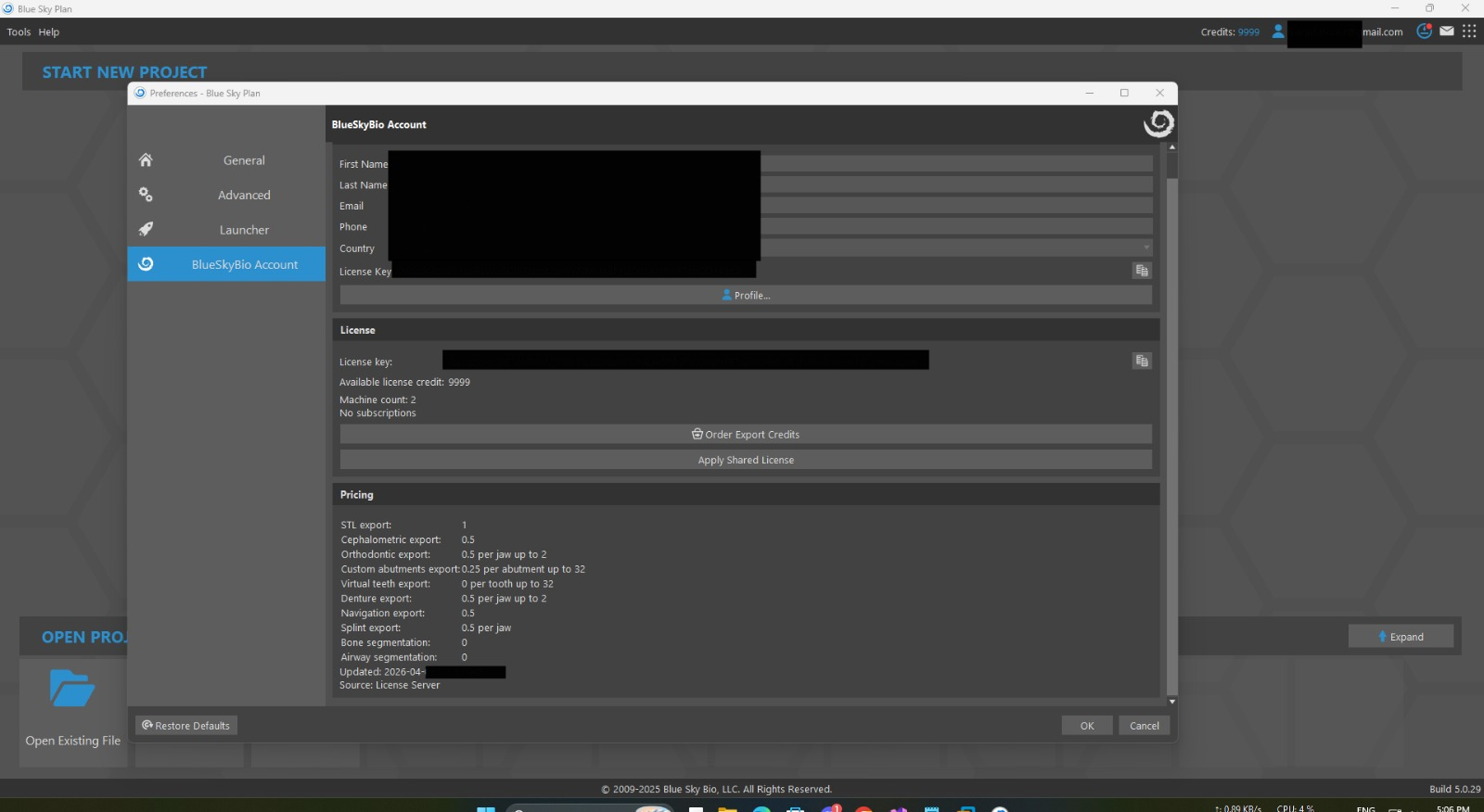
Screenshot
Key Features of Blue Sky Plan
This software combines surgical precision with orthodontic planning. Below are the core functionalities available in v5.0.29:
-
CBCT and STL Fusion: Merge DICOM data from CBCT scans with surface scan STL files for accurate bone and soft tissue visualization.
-
Guided Surgery Module: Design surgical guides for flapless or flap procedures with sleeve and drill sequencing.
-
Aligner Therapy Planning: Create and simulate clear aligner treatment plans directly within the software.
-
Dual-Scan Protocol: Import and align scanned dentures or existing prosthetics.
-
Implant Library: Access over 400 implant connections and compatible sleeves from major manufacturers.
-
Nerve Mapping: Automatically trace the mandibular canal to avoid critical anatomical structures.
-
Free Licensing Model: Request a license code at no cost after agreeing to the terms of use.
What’s New in Blue Sky Plan v5.0.29 (2026)
The latest version introduces several refinements:
-
Enhanced Aligner Workflow: Improved step simulation for up to three active aligners per patient visit.
-
Windows 11 Optimization: Full compatibility with 64-bit Windows 11 Home and Pro editions (MacOS remains unsupported).
-
Reporting Dashboard: A new compliance notification system reminding users to check the Blue Sky Bio website for updates.
-
Stability Fixes: Resolved previous rendering lag on NVidia GeForce GTX 650 and equivalent AMD cards.
System Requirements for Blue Sky Plan v5.0.29
To run this software safely and efficiently, your hardware must meet the following minimum specifications. Using below these requirements may result in rendering errors or crashes.
| Component | Minimum Requirement |
|---|---|
| Operating System | Windows 10 / 11 (64-bit only). MacOS not supported. |
| Processor | Quad Core Intel i7 or AMD equivalent |
| RAM | 16 GB or more |
| GPU (Video Card) | Dedicated NVidia or AMD with at least 3 GB VRAM (e.g., NVidia GeForce GTX 650, AMD Radeon HD 7750) |
| Monitor | 21-inch, 1920×1080 resolution or higher |
| Hard Disk Space | 5 GB of free space |
| Internet | Required for license validation and updates |
Installation Guide for Blue Sky Plan
Follow these steps to install Blue Sky Plan v5.0.29 legally and safely:
-
Download: Visit the official Blue Sky Bio website to obtain the installer. Do not use third-party distribution sites.
-
Run as Administrator: Right-click the installer and select “Run as Administrator” on Windows.
-
Accept Terms: Read and accept the “Agreement to Terms and Download” and the user License Agreement.
-
Request License Code: After installation, open the software and request a free license code via email. You must attest to being a licensed practitioner.
-
Activate: Enter the code sent to your registered email. Ensure your email address is current to receive future updates.
-
Review Manual: Navigate to the ‘Help’ section and read the complete instructional manual before first use.
How to Use the Software (Clinical Workflow)
Blue Sky Plan v5.0.29 follows a logical step-by-step process. Remember that a licensed dentist must approve every digital treatment plan.
Implant Planning Workflow
-
Import DICOM data from CBCT.
-
Adjust Hounsfield unit thresholds for bone density visualization.
-
Place virtual implants using the library matching your surgical kit.
-
Design a surgical guide and export for 3D printing.
Aligner Fabrication Workflow
-
Import intraoral scan STL files.
-
Define the target occlusion and movement stages.
-
Generate aligner stages. The dentist must provide no more than three aligners per patient visit.
-
Verify fit at the time of aligner delivery.
Best Use Cases for Blue Sky Plan
This software excels in specific clinical scenarios:
-
Full-Arch Rehabilitation: Plan multiple implants with nerve avoidance.
-
Orthodontic-Restorative Integration: Combine aligner therapy with future implant sites.
-
Immediate Loading Cases: Design surgical guides for same-day provisionalization.
-
Teaching and Training: Used in dental residency programs due to its free access model.
Advantages and Limitations of Blue Sky Plan v5.0.29
Advantages
-
Zero licensing cost for legal use by practitioners.
-
Large implant library compatible with most surgical kits.
-
Active development with regular updates (v5.0.29 as of 2026).
-
No watermarking on exported guides or STLs.
Limitations
-
Windows only: No native MacOS version available.
-
Hardware demanding: Requires a dedicated GPU; integrated graphics fail.
-
Steep learning curve: Requires reading the full Help manual.
-
Regulatory restrictions: In non-cleared countries, the practitioner must verify local compliance.
Alternatives to Blue Sky Plan
If your hardware or OS does not support Blue Sky Plan v5.0.29, consider these alternatives. Note that most are paid commercial products.
| Software | Platform | Primary Use | Licensing Model |
|---|---|---|---|
| coDiagnostiX | Windows | Implant planning | Paid (tiered) |
| 3Shape Implant Studio | Windows | Guided surgery | Paid subscription |
| Blender (with dental add-ons) | Windows/Mac/Linux | Basic STL manipulation | Free (DIY) |
| Exocad | Windows | Full dental CAD/CAM | Paid per module |
Frequently Asked Questions (FAQ)
Q1: Is Blue Sky Plan v5.0.29 really free for commercial use?
Yes, Blue Sky Plan is available for download free of charge in many countries. You must request a free license code via email and agree to the License Agreement. There is no cost for the software itself.
Q2: Can I install Blue Sky Plan on a MacBook?
No. MacOS is not supported. You would need to run Windows via Boot Camp or a virtual machine, but hardware GPU passthrough issues often cause poor performance.
Q3: What happens if I do not update to version 5.0.29?
Periodic updates improve safety and functionality. It is the user’s responsibility to check the Blue Sky Bio website for announcements. Old versions may lack critical bug fixes.
Q4: How many aligners can I give a patient per visit using this software?
The software’s terms stipulate that a dentist should provide the patient with no more than three aligners at each dental visit and must verify fit at the time of delivery.
Q5: Do I need a prescription or license to download Blue Sky Plan?
Yes. You must be a licensed practitioner or under direct supervision of one. By requesting a license code via email, you attest to your professional status.
Q6: What should I do if I notice an adverse reaction in a patient?
You are required to notify Blue Sky Bio immediately via [email protected] as soon as any adverse reaction is noticed or reported.
Q7: Is Blue Sky Plan legal to use outside the USA or EU?
The software is cleared in the USA, Canada, and the European Union. In other countries, the medical professional is responsible for verifying local regulatory compliance before use.
Final Thoughts
Blue Sky Plan v5.0.29 remains one of the most accessible, legally compliant dental treatment planning tools available in 2026. While it demands high-end Windows hardware and a professional license to operate, its feature set rivals expensive alternatives. For the licensed dentist willing to study the Help manual, it offers surgical precision and aligner therapy planning at zero software cost.
Always remember: This is a medical device. Use it only for its intended purpose, respect the three-aligner-per-visit rule, and report any adverse events to the manufacturer. Download only from the official Blue Sky Bio website.
Premium Software Support Service
If you need professional help with software installation, setup, or technical configuration, our team is available to assist you.
Contact & Support
For quick assistance and latest updates, connect with us using the links below:
🔹 Direct Telegram Support
https://t.me/PlayoutKing
🔹 Official Telegram Updates Group
https://t.me/yourgroup
Service Policy
- Remote testing available through AnyDesk before confirmation.
• Verify the setup and performance before completing the order.
• Support available for single or multiple systems.
• Step-by-step guidance to ensure smooth installation and working environment.
Our goal is to provide reliable technical assistance so your software runs smoothly without interruptions.