


Overview of BirdDog Multiview Software
Table of Contents
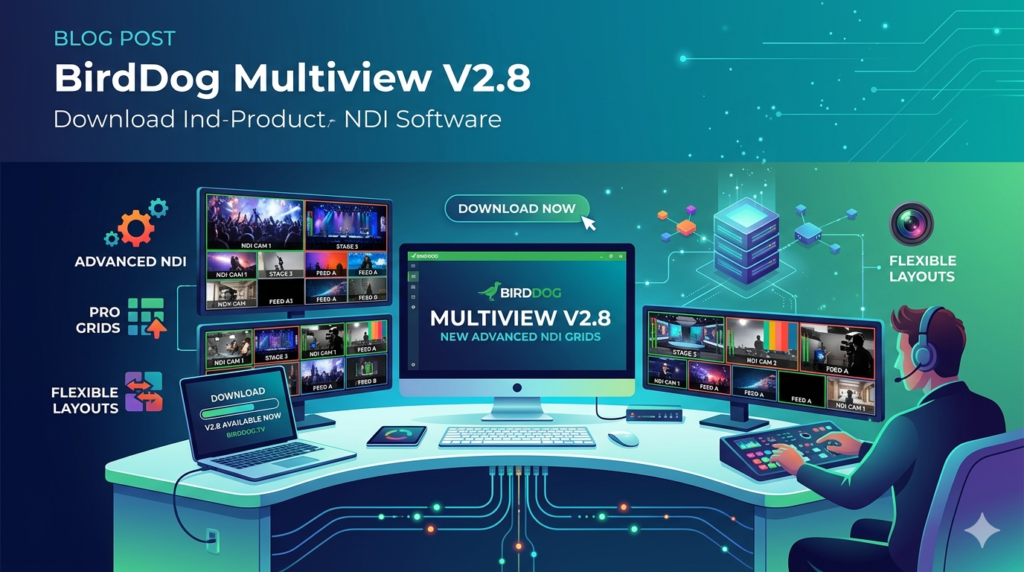
BirdDog Multiview is a professional-grade NDI multiview monitoring software designed for broadcast engineers, live production teams, and AV professionals. Developed by BirdDog, this tool allows users to monitor multiple NDI (Network Device Interface) video streams simultaneously within a single, customizable output window. In fast-paced environments like control rooms, sports broadcasts, and news production, having real-time visibility of numerous video feeds is essential for quality control and coordination.
The primary purpose of BirdDog Multiview is to replace traditional hardware multiviewers with a flexible, software-based solution. By aggregating dozens of IP-based video sources into intuitive grid layouts, it helps operators detect signal issues, manage content, and streamline production workflows without switching between multiple windows.
Key Features of BirdDog Multiview
This software is packed with features tailored for modern IP broadcast workflows:
-
Customizable Grid Layouts: Choose from multiple grid arrangements including 2×2, 3×3, 4×4, and 2&8 configurations to match your monitoring needs.
-
NDI Source Detection: Automatically discovers all available NDI sources on your local network, simplifying setup.
-
Overlay Elements: Add source labels, tally borders (red for live, green for preview), and vertical audio VU meters to each window for enhanced visual context.
-
Audio Monitoring: Select which audio track to monitor per source, with real-time VU meters and hardware output selection.
-
Performance Controls: Adjust output resolution (720p, 1080p, UHD), frame rates (down to 1 fps), and enable proxy streaming to manage bandwidth.
-
Cross-Platform Support: Fully compatible with Windows (including NVIDIA CUDA acceleration) and macOS (optimized for Apple M1/M2 chips).
What’s New in BirdDog Multiview V2.8
Version 2.8 introduces several enhancements for stability and workflow efficiency:
-
Improved NDI 5.5 compatibility for better source discovery across subnets.
-
Enhanced GPU rendering pipeline reducing CPU load by up to 20%.
-
New multicast streaming support to minimize redundant network traffic when monitoring multiple decoders.
-
Refined tally border synchronization with external switchers.
System Requirements
Before installing, ensure your system meets these minimum and recommended specifications:
| Component | Minimum Requirement | Recommended for Pro Workflows |
|---|---|---|
| OS | Windows 10 (64-bit) / macOS 11 (Big Sur) | Windows 11 / macOS 13 (Ventura) or later |
| CPU | Intel Core i5 (6th gen) or Apple M1 | Intel Core i7/i9 / AMD Ryzen 7 / Apple M2 |
| GPU | Integrated GPU with DirectX 11 | NVIDIA GTX 1060+ (CUDA) / AMD Radeon Pro |
| RAM | 8 GB | 16 GB or more |
| Network | Gigabit Ethernet | 2.5 GbE or 10 GbE for multiple 4K streams |
| Storage | 500 MB for installation | SSD for ISO recording |
Installation Guide
Follow these steps to safely install BirdDog Multiview V2.8:
-
Download from Official Source: Visit the official BirdDog website or your authorized dealer portal. Do not use third-party distributors.
-
Run the Installer: On Windows, execute the
.exefile. On macOS, open the.dmgand drag the app to your Applications folder. -
Allow Network Access: When prompted by your firewall, grant permission for NDI discovery and streaming.
-
Launch and Activate: Open the software. Enter your license key for Multiview Pro or continue with the free Lite version.
-
Verify NDI Tools: Ensure NDI Runtime is installed (the installer can fetch it automatically).
How to Use BirdDog Multiview
Using this software effectively requires a few simple steps:
-
Open the Application: Launch BirdDog Multiview from your desktop or applications folder.
-
Scan for Sources: Click the “Sources” tab. The software will automatically list all active NDI streams on your network.
-
Select a Layout: Choose a grid layout (e.g., 2×2 for 4 sources, 4×4 for 16 sources) from the toolbar.
-
Assign Feeds: Drag and drop NDI sources from the list into each grid window.
-
Customize Overlays: Right-click any window to enable labels, tally borders, or audio meters.
-
Adjust Performance: Go to Settings > Bandwidth to toggle proxy streaming or adjust resolution for lower network usage.
-
Output the Multiview: Use the “Output” menu to send the full multiview as a new NDI stream or display it full-screen on a connected monitor.
Best Use Cases for BirdDog Multiview
BirdDog Multiview excels in several professional scenarios:
-
Live Sports Production: Monitor 16+ camera angles simultaneously with tally indicators to know which feed is on air.
-
News Broadcast Control Rooms: Keep track of remote reporter feeds, graphics channels, and playback servers in one unified view.
-
Remote Production Hubs: Allow distributed teams to access the same multiview streams over a secure network, reducing on-site staff needs.
-
Quality Control (QC) Stations: Use ISO recording in the Pro version to capture and review any incoming source for post-event analysis.
-
Corporate AV & Streaming: Manage multiple presenter laptops, room cameras, and content playback devices during hybrid events.
Advantages and Limitations
Advantages
-
Cost-Effective: Replaces expensive hardware multiviewers.
-
Highly Flexible: Supports custom layouts and remote access.
-
NDI Native: Seamless integration with the entire NDI ecosystem (e.g., BirdDog Central, NDI Tools).
-
ISO Recording: Unique for a multiviewer, enabling capture of clean feeds.
Limitations
-
Network Dependent: Performance relies heavily on network bandwidth and switch quality.
-
Learning Curve: Advanced features like multicast and proxy streaming require network knowledge.
-
Hardware Intensive: Monitoring 16+ 4K streams demands a powerful workstation.
Alternatives to BirdDog Multiview
| Software | Key Difference | Best For |
|---|---|---|
| NDI Studio Monitor (Free) | Basic single-view monitoring, no custom grids. | Simple source checking. |
| vMix | Full production switcher with built-in multiview. | Live switching + monitoring. |
| OBS Studio | Free, but limited NDI plugin support and fewer overlays. | Budget-conscious streamers. |
| AJA Bridge Live | Hardware/software hybrid, more expensive. | Enterprise broadcast facilities. |
For dedicated, scalable multiviewing within an IP-native workflow, BirdDog Multiview remains a leading choice.
Frequently Asked Questions (FAQ)
1. Is BirdDog Multiview free to use?
BirdDog offers a free Multiview Lite version supporting up to 6 streams in a 2×2 layout. The Multiview Pro version, with 4×4 grids and ISO recording, requires a paid license.
2. Can I use BirdDog Multiview without an NDI network?
No. The software is designed exclusively for NDI streams. Your video sources must be encoded to NDI (e.g., using BirdDog converters, NDI-enabled cameras, or free NDI tools).
3. Does BirdDog Multiview work with Zoom or Teams?
Indirectly. You can capture Zoom or Teams video output as an NDI source using the NDI Virtual Input tool, then monitor it within BirdDog Multiview.
4. How many sources can I monitor simultaneously?
The Lite version supports up to 24 sources (6 windows × 4 sources per window). The Pro version supports up to 96 sources (6 windows × 16 sources per window in 4×4 mode).
5. Will using this software slow down my production computer?
It can, if you monitor many high-resolution streams. Use proxy streaming, lower frame rates, and a dedicated GPU to minimize impact. For critical production, run it on a separate monitoring workstation.
6. Can I record individual sources with the Pro version?
Yes. The ISO recording feature lets you record any incoming NDI source in its native resolution and codec. Recording quality depends on your CPU, disk speed, and network bandwidth.
7. Is BirdDog Multiview legally safe for commercial broadcast?
Yes. BirdDog Multiview is legitimate commercial software. You must purchase a valid license for the Pro version. Always download from official BirdDog channels.
Final Thoughts
BirdDog Multiview V2.8 is an essential tool for any broadcast or AV professional transitioning to IP-based workflows. Its combination of flexible layouts, real-time tally overlays, audio monitoring, and ISO recording provides a level of control typically found only in expensive hardware solutions. While it demands a solid network infrastructure and a capable computer, the gains in production visibility and operational efficiency are substantial. For teams already invested in the NDI ecosystem, this software is a highly recommended upgrade over basic monitoring tools.
Premium Software Support Service
If you need professional help with software installation, setup, or technical configuration, our team is available to assist you.
Contact & Support
For quick assistance and latest updates, connect with us using the links below:
🔹 Direct Telegram Support
https://t.me/PlayoutKing
🔹 Official Telegram Updates Group
https://t.me/yourgroup
Service Policy
- Remote testing available through AnyDesk before confirmation.
• Verify the setup and performance before completing the order.
• Support available for single or multiple systems.
• Step-by-step guidance to ensure smooth installation and working environment.
Our goal is to provide reliable technical assistance so your software runs smoothly without interruptions.