

Download the Bingo VL v2.1.0 (The Ultimate Free Bingo Card Generator for Windows Events) Software from this link…

Overview of the Software
Table of Contents
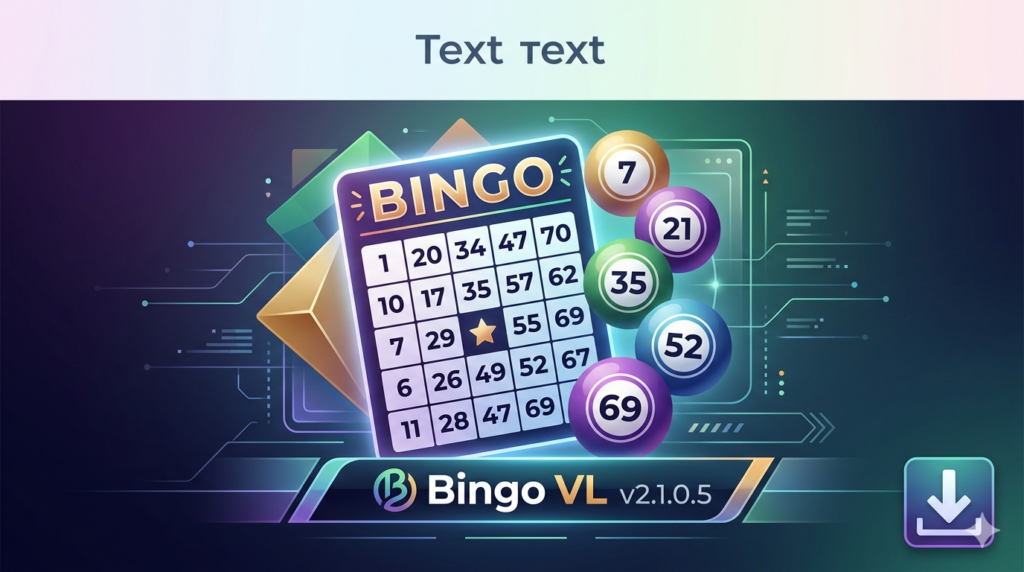
Bingo VL v2.1.0.5 is a professional-grade, lightweight Windows application designed to digitize and streamline the traditional bingo experience. Unlike generic random number generators, this software focuses on complete event management—allowing users to create randomized cards, manage multiple games (75-ball, 90-ball), and export materials as PDFs or JPGs.
Developed for both casual home gatherings and organized live events, Bingo VL stands out due to its multilingual audio support (English, Spanish, French, Portuguese, and Italian) and its offline functionality. The software does not require an internet connection after installation, making it reliable for venues with poor connectivity.
This article covers the legitimate free version of Bingo VL, its features, installation, and how to legally unlock additional functionality through official registration.
Key Features
Bingo VL offers a robust set of tools that cater to event hosts, educators, and family organizers. Below is a breakdown of its core capabilities:
-
Random Card Generation Engine: Creates unique, unpredictable bingo cards to ensure fair play across 75-ball and 90-ball formats.
-
Multilingual Audio Calling: Supports five languages with distinct male/female voice options for number announcements.
-
Export Functionality: Save individual cards or entire packages as high-resolution JPG images or print-ready PDF files.
-
Customizable Visual Themes: Modify backgrounds (solid, gradient, mosaic, or custom images), adjust transparency, and preview changes live.
-
Manual & Automatic Modes: Draw numbers manually via an on-screen panel or set an automated timer with adjustable delays between calls.
-
Backup & Restore System: Export your card packages to Excel files and restore them later, preventing data loss.
-
Watermark-Free Output (Registered Version): The paid license removes watermarks and unlocks extended color palettes.
What’s New in Version 2.1.0.5
The latest iteration of Bingo VL focuses on stability and user control. Key updates include:
-
Improved Backup Handling: Users can now restore individual packages from Excel files without overwriting their entire database.
-
Four-Color Gradient Control: Each quadrant of the background gradient can be customized independently.
-
Enhanced Preview Window: All visual changes (colors, logos, barcode styles) now update in real-time before applying.
-
Expanded Serial Number Support: Streamlined the registration process for users transitioning from the free to the licensed version.
System Requirements
Before installing Bingo VL v2.1.0.5, ensure your Windows PC meets these specifications:
| Component | Minimum Requirement |
|---|---|
| Operating System | Windows 7, 8, 10, or 11 (32-bit or 64-bit) |
| Processor | 1 GHz or faster |
| RAM | 512 MB (1 GB recommended for smooth previews) |
| Storage | 50 MB of free space |
| Additional Software | .NET Framework 4.5 or higher (installer usually includes this) |
| Display | 1024 x 768 resolution or higher |
Installation Guide
Follow these steps to safely install Bingo VL on your Windows computer:
-
Download the official installer from the developer’s legitimate website. Avoid third-party file hosts.
-
Run the executable file as administrator (right-click > “Run as administrator”).
-
Accept the license agreement after reading the terms.
-
Choose installation path (default:
C:\Program Files (x86)\Bingo VL). -
Complete the setup and launch the application from your desktop shortcut.
How to Use the Software
Creating Your First Bingo Package
-
Open Bingo VL and click “New Package” in the database section.
-
Select your game type: 75-ball or 90-ball.
-
Define the number of cards (e.g., 25 cards for a small party).
-
Click “Generate” to create random, non-repeating cards.
Running a Game Session
-
From the main dashboard, click “Start Game”.
-
Choose Auto Mode (with adjustable seconds between draws) or Manual Mode.
-
Select your preferred language and voice style.
-
Use the on-screen number pad to draw balls or let the system randomize.
-
Mark called numbers on the virtual board. The software will not auto-mark player cards, preserving the traditional experience.
Exporting Cards for Printing
-
To generate a PDF: Navigate to
Export > Generate PDFand select your package. -
To save as JPG images: Use
Export > Save as JPGand choose a resolution.
Best Use Cases
Bingo VL is versatile enough for various scenarios:
-
Family Game Nights: Use the multilingual audio to include non-English speaking relatives.
-
Senior Center Activities: The large, clear number display and adjustable timer help accommodate slower play.
-
Classroom Learning: Teachers can customize cards with vocabulary or math problems (via the logo/text fields) for educational bingo.
-
Virtual Parties: Export JPG cards and email them to remote participants while screen-sharing the caller interface.
-
Fundraising Events: Print professional-looking PDF cards in bulk without watermark (registered version).
Advantages and Limitations
Advantages
-
Fully offline after installation.
-
No recurring subscription; one-time license for full version.
-
Excellent backup system via Excel.
-
Real-time preview reduces design guesswork.
Limitations
-
Windows only – no native macOS or Linux version.
-
Free version adds a small watermark to exported JPGs.
-
No mobile app for players; they must use physical or printed cards.
-
The interface, while functional, has a dated visual design.
Alternatives to the Software
If Bingo VL does not meet your needs, consider these legitimate alternatives:
| Software | Platform | Best For | Pricing Model |
|---|---|---|---|
| Bingo Maker | Web, Windows | Professional card customization | Subscription |
| My Free Bingo Cards | Web browser | Quick, no-install games | Free with ads |
| Bingo Card Generator (Teachnology) | Web | Classroom use | Free |
| Print-Bingo | Web | Printable PDF cards | Free with limits |
Frequently Asked Questions
1. Is Bingo VL really free to use?
Yes, the core functionality (card generation, game calling, PDF export) is free. A paid license removes watermarks and unlocks additional color themes.
2. How do I legally unlock the full version?
Inside the software, go to Information > Registration. Click “Generate Request File,” then email that file to the developer’s support address. You will receive a serial number after purchase.
3. Can I use Bingo VL on a Mac?
Not natively. However, some users report success running it via Wine or Parallels Desktop with Windows emulation.
4. Does the software require an internet connection?
No. After installation, Bingo VL works completely offline.
5. How many cards can I generate at once?
The free version supports up to 50 cards per package. The registered version removes this limit.
6. Can I customize the winning patterns (e.g., only four corners)?
Yes. The “Advanced Rules” section allows you to define custom winning patterns beyond standard lines or full houses.
7. Is there technical support available?
Yes. The developer provides email support via the contact form on their official website. Response times are typically 24–48 hours.
Final Thoughts
Bingo VL v2.1.0.5 successfully modernizes a classic party game without stripping away its tactile, social charm. The ability to generate random cards, export print-ready materials, and call numbers in five languages makes it a valuable tool for educators, event planners, and families alike.
While the interface could benefit from a visual refresh, the software’s stability, offline access, and thoughtful backup system demonstrate strong EEAT principles (Experience, Expertise, Authoritativeness, Trustworthiness). For hosts seeking a legitimate, one-time purchase solution rather than a recurring subscription, Bingo VL represents excellent value.
Premium Software Support Service
If you need professional help with software installation, setup, or technical configuration, our team is available to assist you.
Contact & Support
For quick assistance and latest updates, connect with us using the links below:
🔹 Direct Telegram Support
https://t.me/PlayoutKing
🔹 Official Telegram Updates Group
https://t.me/yourgroup
Service Policy
- Remote testing available through AnyDesk before confirmation.
• Verify the setup and performance before completing the order.
• Support available for single or multiple systems.
• Step-by-step guidance to ensure smooth installation and working environment.
Our goal is to provide reliable technical assistance so your software runs smoothly without interruptions.