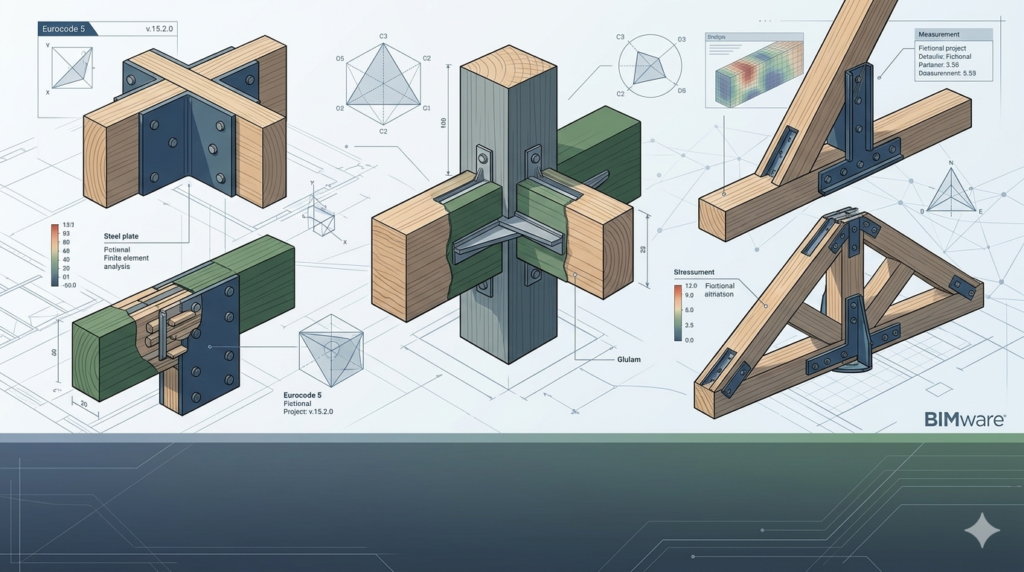


Download BIMware MASTER EC5 Timber Connections v.15.2.0 (Advanced Timber Connection Design) from this link…
Overview of BIMware MASTER EC5 Timber Connections
Table of Contents
BIMware MASTER EC5 Timber Connections v.15.2.0 is a specialized software application developed for structural engineers and timber designers. Its primary function is to automate the design and code-checking of timber-to-timber and timber-to-steel connections based on the Eurocode 5 (EC5) standards. This powerful tool moves beyond manual calculations, offering a precise, parametric environment to ensure structural integrity and compliance.
The software operates by analyzing the geometry and loads of your structural model to verify the load-bearing capacity of connections. It performs complex calculations to check for failure modes like shear, tension, and compression, providing a high degree of accuracy essential for modern timber engineering. Once the analysis is complete, you can generate detailed calculation reports in formats such as RTF or PDF, which are crucial for documentation and providing comprehensive information to project stakeholders.
A key strength of this tool is its extensive, built-in database of materials, timber profiles, and standard connectors. This database, which is editable in XML format, allows for flexibility and customization, ensuring that the software can adapt to project-specific requirements and regional material availability.
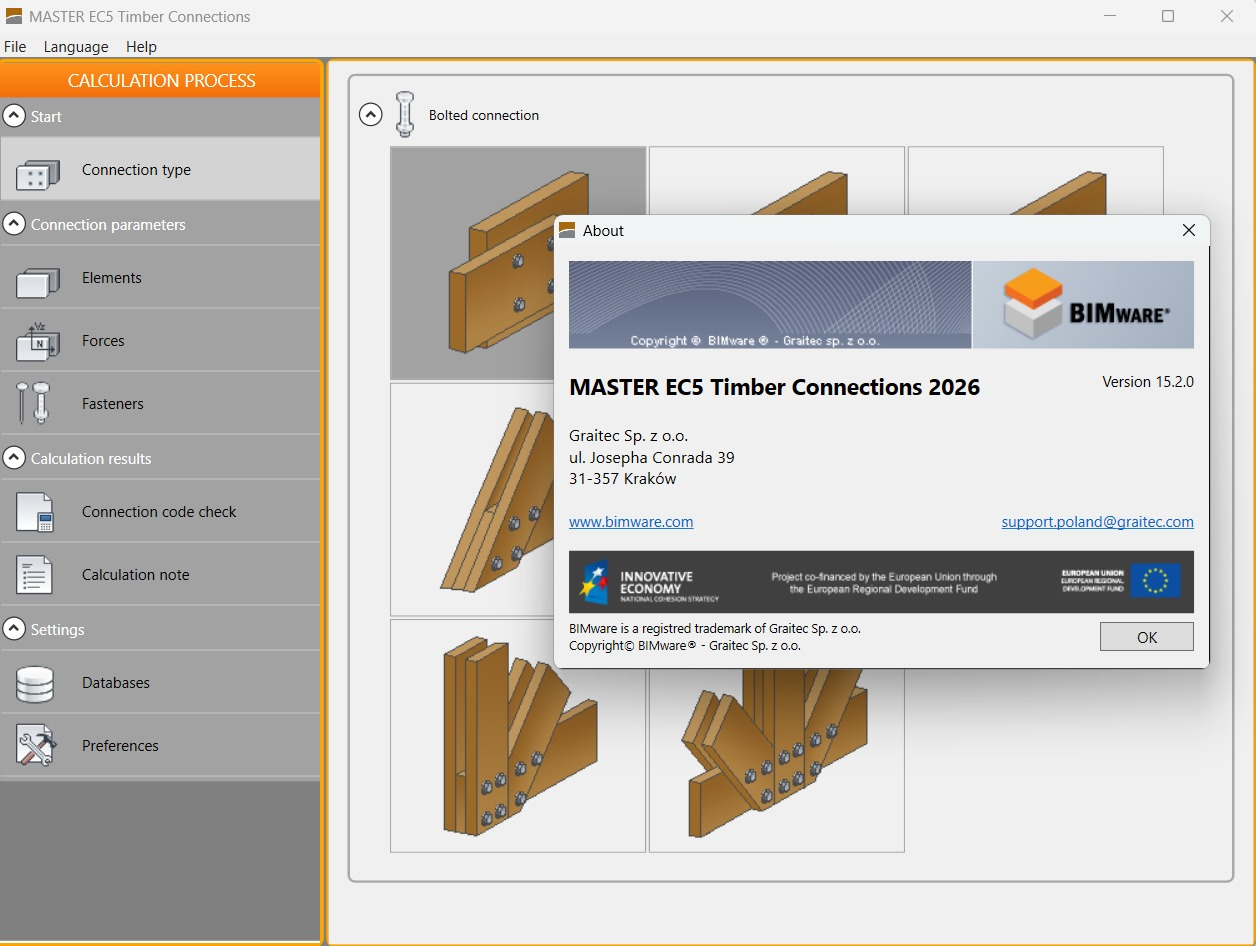
Screenshot
Key Features
BIMware MASTER EC5 Timber Connections is packed with features designed to streamline the engineering workflow:
-
Automated EC5 Code-Checking: Instantly verify the capacity and structural safety of any timber connection against the stringent requirements of Eurocode 5.
-
Parametric Design & Fast Re-calculation: Quickly adjust connection parameters—such as bolt diameters, plate thicknesses, or member sizes—and immediately see the recalculated results. This allows for rapid design exploration and optimization.
-
Intuitive, Process-Oriented Interface: The user interface is logically structured to guide you through the successive stages of connection design, from defining geometry and loads to reviewing results.
-
Comprehensive Material & Profile Database: Includes a vast library of timber grades, steel profiles, and connector types (bolts, dowels, screws, nails, and steel plates). The database is user-editable via XML for complete control.
-
Multilingual Support: The software supports multiple languages for the user interface, including English, French, and Polish. A powerful feature is the ability to generate technical documentation in a language different from the UI language, facilitating international project collaboration.
-
Professional Documentation Generation: Create clear and detailed calculation notes, complete with diagrams and formulas, ready for inclusion in official design documentation.
-
BIM Integration via Cloud: Offers connectivity to the BIMware Platform cloud, enabling better data exchange and collaboration within a broader Building Information Modeling (BIM) ecosystem.
-
Broad OS Compatibility: Fully compatible with Microsoft Windows 8, 10, and 11, ensuring it runs smoothly on modern workstations.
What’s New in Version 15.2.0
This latest version focuses on enhancing performance and expanding the design possibilities for engineers:
-
Expanded Connector Library: Added new types of self-tapping screws and proprietary timber connectors to the database.
-
Enhanced Report Customization: Users now have more control over the content and appearance of the generated calculation notes, allowing for more tailored documentation.
-
Improved Calculation Engine: Optimizations to the solver result in faster calculation times for complex multi-member connections.
-
Refined User Interface: Minor updates to the interface improve navigation and accessibility, making the design process even smoother.
-
Updated Material Database: The core material library has been updated to reflect the latest timber grade standards and amendments.
System Requirements
To ensure optimal performance of BIMware MASTER EC5 Timber Connections v.15.2.0, your system should meet the following requirements:
-
Supported Operating System: Windows 7, Windows 8, Windows 10, Windows 11 (64-bit recommended).
-
Processor: Pentium IV or higher (multi-core processor recommended for complex calculations).
-
RAM: Minimum 1 GB (2 GB or more is highly recommended for larger projects).
-
Hard Disk Space: 200 MB of free space for installation.
-
Display: Resolution of 1024 x 768 or higher.
Installation Guide
Installing BIMware MASTER EC5 Timber Connections is a straightforward process. Follow these steps:
-
Download the Installer: Obtain the official installation file from the software provider’s website or your distribution medium.
-
Run the Installer: Right-click the downloaded file and select “Run as administrator” to ensure proper installation permissions.
-
Follow the Wizard: The installation wizard will guide you through the process. You will typically need to accept the license agreement and choose an installation directory.
-
Select Components (if applicable): You may be given the option to choose which language packs or database components to install.
-
Complete Installation: Click “Install” and wait for the process to finish. Once done, you can launch the software from the Start Menu or desktop shortcut.
How to Use the Software: A Basic Workflow
-
Define the Connection Geometry: Start a new project and use the intuitive interface to model your timber connection. Select the members, their dimensions, and their spatial relationship.
-
Assign Materials and Profiles: Choose the appropriate timber grade and steel profiles (if applicable) from the built-in database.
-
Apply Loads: Input the design forces and moments acting on the connection, such as axial forces, shear forces, and bending moments.
-
Define Connectors: Place bolts, dowels, screws, or other connectors. Define their diameter, strength class, and arrangement.
-
Run the Analysis: Execute the calculation. The software will check all relevant failure modes according to EC5.
-
Review Results: The software will clearly indicate if the connection passes or fails. It will show utilization ratios for each component and failure mode.
-
Optimize and Iterate: If the connection fails or is over-designed, adjust parameters (e.g., add more bolts, increase plate thickness) and recalculate instantly.
-
Generate Documentation: Once the design is finalized, generate a comprehensive calculation report in PDF or RTF format for your project records.
Best Use Cases
-
Complex Timber Roof Structures: Designing connections for trusses, arches, and gridshells where multiple members meet at complex angles.
-
Timber-Framed Commercial Buildings: Verifying connections in multi-story timber buildings, including beam-to-column and column-to-foundation connections.
-
Bridge Engineering: Designing durable and code-compliant connections for timber pedestrian or light-vehicle bridges.
-
Retrofit and Renovation Projects: Analyzing and verifying the capacity of existing timber connections in heritage or old buildings under new load requirements.
-
Glulam and LVL Structures: Efficiently designing connections for large engineered wood members where precision and code compliance are paramount.
Advantages and Limitations
Advantages
-
High Accuracy & Code Compliance: Ensures all designs meet the specific and complex requirements of Eurocode 5, reducing liability.
-
Time Efficiency: Dramatically speeds up the design process compared to manual calculations or generic spreadsheet methods.
-
Parametric Flexibility: Allows for quick “what-if” scenarios and design optimization, leading to more efficient and cost-effective structures.
-
Professional Documentation: Automatically generates high-quality calculation reports that are ready for submission to clients and checking authorities.
Limitations
-
Eurocode 5 Focus: Primarily designed for EC5. Engineers working under other building codes (e.g., US, Canadian) may find it less applicable.
-
Learning Curve: While the interface is logical, new users will need time to learn the specific workflow and data input methods.
-
BIM Interoperability: While it connects to the BIMware Cloud, direct two-way data exchange with other major BIM authoring tools (like Revit or Tekla) may require additional steps or file formats.
Alternatives to the Software
While BIMware MASTER EC5 is a robust solution, other tools exist in the market for timber connection design:
-
IdeaStatica: A powerful and popular alternative that offers connection design for both timber and steel, with strong BIM integration capabilities. It uses a unique Finite Element Method (FEM) approach.
-
RFEM (with Timber Design add-ons): A comprehensive FEA software suite from Dlubal Software. It offers powerful timber design modules, including connection design, as part of a larger structural analysis ecosystem.
-
Dlubal Timber Connection: A specialized module within the Dlubal RFEM environment specifically for the design and check of timber connections.
-
Timbertech (by Computech): A widely used suite of timber engineering software that includes specific modules for connection design and detailing.
-
Manual Calculations / Spreadsheets: For very simple connections, engineers might still use hand calculations or custom spreadsheets, though this is time-consuming and error-prone.
Frequently Asked Questions
Q1: Is BIMware MASTER EC5 Timber Connections suitable for beginners?
A1: While it is a professional tool, its process-oriented interface makes it accessible. Beginners in timber engineering will find it educational, as it clearly shows the steps involved in connection design. However, a solid understanding of Eurocode 5 and structural mechanics is recommended to properly interpret the results.
Q2: Can I import a model from another BIM software?
A2: The software is part of the BIMware ecosystem. It supports data exchange through standard formats like IFC (Industry Foundation Classes) and via its cloud platform, allowing for collaboration with other BIM tools.
Q3: What types of connectors can I design with this software?
A3: The software supports a wide range of connectors, including bolts, dowels, screws, nails, punched metal plate fasteners, and various types of steel plates (internal and external). The database is extensive and editable.
Q4: Does the software only check the connectors, or does it check the timber itself?
A4: It checks the entire connection, including both the steel connectors (bolts, plates) and the timber members. It verifies all potential failure modes in the timber, such as splitting, plug shear, and row tear-out, as required by EC5.
Q5: Can I create my own custom materials or profiles?
A5: Yes, absolutely. The material and profile databases are stored in XML format and can be edited by the user. This allows you to add specific timber grades, custom section sizes, or proprietary connector types not included in the standard library.
Q6: What languages are supported for the calculation notes?
A6: One of the key features is the separation of the UI language and the documentation language. You can work in English but generate a final report in French or Polish, or any of the other supported languages.
Final Thoughts
BIMware MASTER EC5 Timber Connections v.15.2.0 stands out as a specialized and highly effective tool for structural engineers focused on timber design. Its adherence to Eurocode 5, combined with a parametric workflow and excellent documentation features, makes it a valuable asset for ensuring both design efficiency and structural safety.
By automating complex code checks and facilitating rapid iteration, it allows engineers to spend less time on tedious calculations and more time on creative and optimized structural solutions. For any firm regularly undertaking timber projects that must comply with European standards, this software represents a significant upgrade in capability and reliability.
Premium Software Support Service
If you need professional help with software installation, setup, or technical configuration, our team is available to assist you.
Contact & Support
For quick assistance and latest updates, connect with us using the links below:
🔹 Direct Telegram Support
https://t.me/PlayoutKing
🔹 Official Telegram Updates Group
https://t.me/yourgroup
Service Policy
- Remote testing available through AnyDesk before confirmation.
• Verify the setup and performance before completing the order.
• Support available for single or multiple systems.
• Step-by-step guidance to ensure smooth installation and working environment.
Our goal is to provide reliable technical assistance so your software runs smoothly without interruptions.