
Download AVS4YOU Software AIO Installation Package 26.0.2.17(Complete Multimedia Suite for Windows) from this link…

Overview of AVS4YOU Software AIO Installation Package
Table of Contents
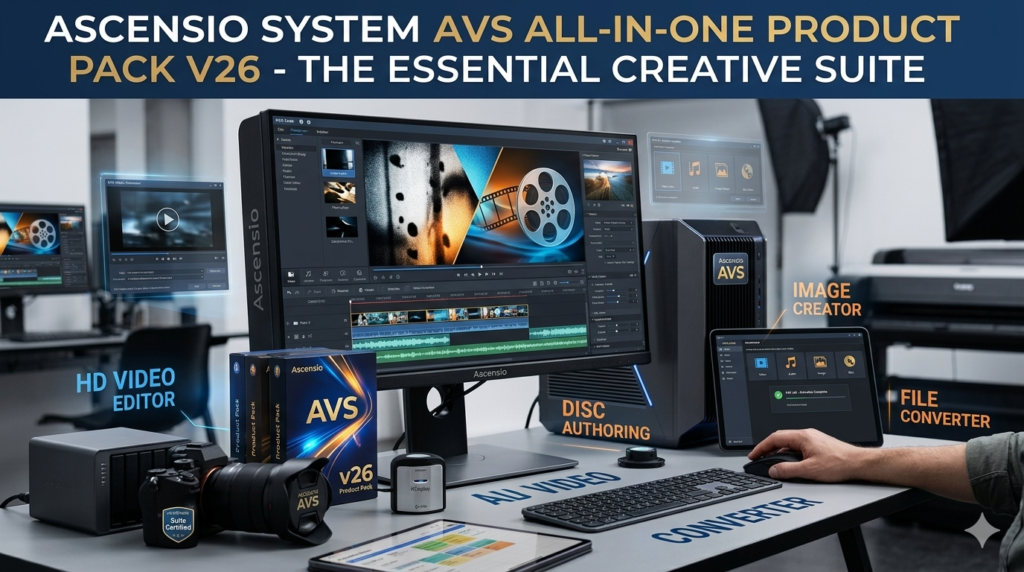
The AVS4YOU Software AIO Installation Package is a comprehensive multimedia suite developed by Online Media Technologies Ltd. , a reputable company in the software industry . This all-in-one package combines over 15 powerful applications into a single, streamlined installation process, offering users a complete toolkit for handling video, audio, image, and disc management tasks without the need to purchase and learn multiple standalone programs.
Designed primarily for Windows users, including beginners, hobbyists, YouTubers, and semi-professionals, the suite stands out for its balance of functionality and user-friendliness . Instead of juggling between different software titles for editing, converting, or burning media, this package provides a centralized solution. Whether you are looking to edit a family vacation video, convert a music file for your smartphone, or create a photo slideshow, the AVS4YOU software suite offers the necessary tools in one cohesive environment.
This package is particularly valuable for those who want to achieve professional-looking results without the steep learning curve or high subscription costs associated with enterprise-level software like Adobe Creative Cloud . With a lifetime license model, it presents a cost-effective alternative for long-term media creation .
Key Features of the AVS4YOU Suite
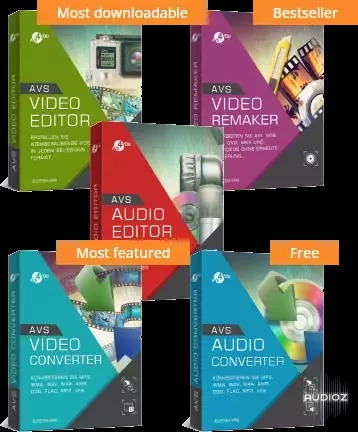
The strength of the AVS4YOU AIO package lies in its diverse range of specialized applications. Here is a breakdown of the key software included and their primary functions:
Video Editing and Processing
-
AVS Video Editor: The centerpiece of the suite, this tool allows for non-linear video editing on a timeline. Users can trim, split, merge, and arrange video clips. It includes a library of over 300 transitions and visual effects, chroma-key (green screen) functionality, and tools for adding text, captions, and voiceovers .
-
AVS Video Converter: This utility supports conversion between all major video formats, including MP4, AVI, MOV, MKV, and WebM. It features GPU hardware acceleration for faster processing and pre-configured presets for various devices (iPhones, Android tablets) and online platforms (YouTube, Instagram) .
-
AVS Video ReMaker: A unique tool for lossless video editing. It allows you to cut, delete, and merge video segments without re-encoding the entire file, preserving original quality and saving time .
-
AVS Media Player: A versatile player for watching videos and listening to audio, supporting a wide array of file formats without needing additional codec packs .
Audio Editing and Recording
-
AVS Audio Editor: A robust tool for recording and editing sound. Features include noise removal, equalization, volume adjustment, and the ability to apply various effects like reverb or echo. It supports multi-track mixing and can split audiobooks into chapters .
-
AVS Audio Converter: Facilitates easy conversion between popular audio formats such as MP3, WAV, FLAC, and M4A. It also includes a batch mode for processing multiple files at once .
-
AVS Ringtone Maker: A simple, dedicated tool for creating custom ringtones from your favorite music files .
Image and Disc Management
-
AVS Image Converter: Enables batch conversion of images between formats like JPEG, PNG, TIFF, and the modern WebP format .
-
AVS Photo Editor: Offers tools for basic photo enhancement, color correction, and applying effects.
-
AVS Disc Creator & AVS DVD Authoring: These tools allow for burning video files, data, and photos to CD, DVD, and Blu-ray discs. They include features for creating custom DVD menus with chapters and selecting menu templates .
System Utilities
-
AVS Registry Cleaner: A maintenance tool designed to clean up invalid entries in the Windows registry, potentially improving system performance and stability .
What’s New in Version 26.0.2.17
While incremental updates continually refine the suite, recent updates leading up to this version have focused on expanding format support and enhancing performance. Key improvements in the latest builds include:
-
AV1 Format Support: Users can now open and edit AVI, MP4, MKV, and WebM files encoded with the modern, royalty-free AV1 codec .
-
WebP Image Support: The suite now fully supports adding WebP images to video projects, a format known for maintaining high quality with smaller file sizes .
-
Enhanced Hardware Acceleration: Improved hardware decoding for videos encoded with H.265/HEVC (10-bit and 12-bit) and VP9 (10-bit). This ensures smoother playback and faster rendering on compatible systems with modern processors .
-
Refined User Interface: The suite has received a visual update with a Windows 11-compatible skin and a restructured preset menu, making it easier to find the right export settings for HD/Full HD content and various devices .
-
Optimized Installer: The AIO installation package has been optimized to occupy less disk space while maintaining all functionalities .
System Requirements for AVS4YOU
To ensure smooth performance of the AVS4YOU AIO package, your system should meet the following minimum and recommended requirements:
| Component | Minimum Requirement | Recommended Requirement |
|---|---|---|
| Operating System | Windows 7, 8, 8.1, 10, 11 | Windows 10 or 11 (64-bit) |
| Processor | 1.5 GHz processor | Intel Core i5 or equivalent (7th Gen or newer for full hardware acceleration features) |
| RAM | 2 GB | 4 GB or more |
| Hard Disk Space | 700 MB of free space | 1 GB or more (for projects and temporary files) |
| Graphics Card | DirectX 9.0c compatible | DirectX 10/11 compatible with hardware acceleration support |
| Additional | Internet connection for installation, updates, and online features |
Please note: AVS4YOU is exclusively designed for Windows and does not support macOS or Linux .
Installation Guide for the AIO Package
Installing the complete AVS4YOU suite is a straightforward process. Follow these steps to get started:
-
Download the Installer: Visit the official AVS4YOU website (www.avs4you.com) and navigate to the downloads section. Choose the “AVS4YOU Software AIO Installation Package” to get a single installer containing all programs .
-
Run the Installer: Locate the downloaded .exe file and double-click it to run. If prompted by User Account Control, click “Yes” to allow the program to make changes to your device.
-
Follow the Setup Wizard: The installation wizard will guide you through the process. You can typically choose the destination folder for the software and select which components of the suite you wish to install.
-
Complete Installation: Once the wizard finishes, you will find an “AVS4YOU” program group in your Start Menu. All installed applications will be listed here for easy access. You can right-click your most-used programs and pin them to your Start Menu or Taskbar for quicker launching .
-
Initial Launch and Activation: Open any program from the suite (e.g., AVS Video Editor). Upon first use, you will be prompted to activate the software. Enter the unique license key you received via email after your purchase to unlock all features and remove any trial limitations like watermarks .
How to Use the AVS4YOU Software
The intuitive design of the AVS4YOU suite makes it easy for beginners to start creating. Here’s a quick guide on common tasks:
Editing a Video (AVS Video Editor)
-
Import Media: Open AVS Video Editor. Click the “Import” button or simply drag and drop your video clips, images, and audio files from your computer into the program’s media library .
-
Build Your Timeline: Drag the desired files down to the timeline at the bottom of the screen. You can arrange them in any order.
-
Trim and Cut: Use the trimming handles on the timeline clips to remove unwanted sections. For more precision, use the split tool to cut a clip at the playhead position .
-
Enhance Your Project: Explore the “Transitions” and “Effects” tabs. Drag and drop your chosen elements between clips or onto existing clips to add visual flair. Use the “Text” tab to add titles or captions .
-
Export Your Video: Once satisfied, click the “Produce” button. Select an export preset based on your target platform (e.g., “For YouTube,” “For iPhone”). The MP4 (H.264) format is a versatile, high-quality choice for most purposes . Click “Start” to render and save your video.
Enhancing an Audio File (AVS Audio Editor)
-
Open Your File: Launch AVS Audio Editor and open the audio file you wish to edit.
-
Remove Background Noise: If your recording has a constant hum or hiss, select a small portion of the noise only. Go to the Effects menu and choose “Noise Removal” to capture the noise profile, then apply it to the entire track .
-
Adjust Volume: Select the entire track or a portion. Use the “Amplify” effect to increase the volume or “Normalize” to set a consistent volume level.
-
Save Your Work: Export the cleaned audio in your desired format (MP3, WAV, etc.) using the “File” -> “Save As” or “Export” option.
Best Use Cases for the AVS4YOU Suite
The versatility of the AVS4YOU AIO package makes it suitable for a wide range of creative projects :
-
For Social Media Content Creators: YouTubers and TikTokers can use AVS Video Editor to create dynamic videos, add engaging text overlays, and export directly in platform-optimized formats. The screen recorder is perfect for creating gaming videos or tutorials .
-
For Small Business Owners: Create professional promotional videos, product demos, or training materials for employees. Combine slideshows of your products with background music for social media ads .
-
For Podcasters: Use AVS Audio Editor to record remote interviews, clean up audio by removing background noise, mix in intro/outro music, and export the final podcast in various formats for different platforms .
-
For Preserving Memories: Compile photos and video clips from family events, holidays, or weddings into beautiful slideshows or video montages with transitions and a custom soundtrack .
-
For Educators and Trainers: Record your screen to create step-by-step software tutorials or educational presentations. Add voiceovers and annotations to guide students through the material effectively .
Advantages and Limitations
Advantages
-
Comprehensive All-in-One Package: Provides exceptional value by bundling over 15 tools for video, audio, photo, and disc tasks, eliminating the need for multiple purchases .
-
Exceptional Value for Money: The lifetime license model is a significant advantage over subscription-based competitors, offering full access with a single, affordable payment .
-
User-Friendly Interface: Designed with beginners in mind, the intuitive drag-and-drop interface and well-organized menus make it easy to learn and use .
-
Broad Format Support: Handles a vast range of input and output formats, including modern codecs like AV1 and WebP, ensuring compatibility with various devices and platforms .
-
Active Development and Updates: The developer, Online Media Technologies Ltd., regularly updates the suite with new features, format support, and performance improvements .
Limitations
-
Windows-Only: The suite is not available for macOS or Linux, restricting its use to the Windows ecosystem .
-
Performance with High-End Tasks: While suitable for HD and 4K editing, performance with complex 4K projects or advanced effects may lag on lower-spec computers compared to professional-grade software .
-
Limited Advanced Features: Professionals may find that it lacks some of the depth and specific high-end features found in industry-standard tools like DaVinci Resolve or Adobe Audition .
Alternatives to AVS4YOU Software
Depending on your specific needs and operating system, several alternatives to the AVS4YOU suite are available:
| Software | Best For | Platform | Key Difference from AVS4YOU |
|---|---|---|---|
| Adobe Creative Cloud | Professional content creation | Windows, macOS | Industry standard with advanced features, but requires a costly monthly subscription . |
| DaVinci Resolve | Professional video editing & color grading | Windows, macOS, Linux | Offers a powerful free version with studio-level features, but has a steeper learning curve . |
| Audacity | Audio recording and editing | Windows, macOS, Linux | A free, open-source audio editor. It’s powerful but lacks the integrated visual suite and polish of AVS4YOU. |
| iMovie / Final Cut Pro | Video editing for Apple users | macOS | iMovie is free and user-friendly; Final Cut Pro is a professional one-time purchase. Both are excellent but exclusive to Apple . |
| HandBrake | Video conversion | Windows, macOS, Linux | A free, open-source video transcoder focused solely on conversion, lacking editing features. |
Frequently Asked Questions (FAQ)
1. Is AVS4YOU software safe to download and use?
Yes, AVS4YOU is a legitimate software suite developed by Online Media Technologies Ltd. It is safe to download and use when obtained from the official AVS4YOU website . The software is free from malware and adware.
2. Is the AVS4YOU AIO package free?
No, AVS4YOU is not free software. It operates on a trialware model. You can download and use the software for a limited trial period, which will add a watermark to your exports. To remove limitations and unlock all features, you must purchase a lifetime license .
3. What is included in the AVS4YOU lifetime license?
A single lifetime license provides permanent access to the full suite of over 15 applications, including all future updates for that major version, on one computer . There are no recurring fees.
4. Can I edit 4K videos with AVS Video Editor?
Yes, AVS Video Editor supports editing and exporting video in 4K (Ultra HD) resolution. However, smooth performance depends on your computer’s hardware, particularly the processor, RAM, and graphics card .
5. How do I remove the AVS4YOU watermark from my videos?
The watermark is added when using the unregistered trial version of the software. To remove it, you must purchase a license and activate the software using the unique license key sent to your email .
6. Will my lifetime license work on a new computer if my old one breaks?
Licensing terms can vary, but generally, a lifetime license is intended for use on a single computer. If you need to transfer it to a new machine, you may need to contact AVS4YOU customer support to deactivate the license on the old system and reactivate it on the new one .
7. Does AVS4YOU work on Mac?
No, AVS4YOU is not compatible with macOS. It is designed exclusively for the Microsoft Windows operating system .
8. What output formats are best for YouTube?
For YouTube, the recommended export settings are the MP4 container with the H.264 video codec and AAC audio codec. AVS Video Editor has a dedicated “For YouTube” preset that automatically configures these optimal settings for you .
Final Thoughts on AVS4YOU AIO Package 26.0.2.17
The AVS4YOU Software AIO Installation Package 26.0.2.17 remains a compelling choice for Windows users seeking a versatile and budget-friendly multimedia toolkit. Its primary strength lies in its all-in-one nature, offering a seamless workflow across different media types without the complexity or recurring costs of professional-grade software. By bundling powerful tools for video, audio, and image editing with user-friendly interfaces, it effectively serves beginners, hobbyists, and prosumers.
For content creators, small business owners, or anyone looking to manage their digital media projects efficiently, AVS4YOU provides a solid, reliable foundation. The addition of support for modern formats like AV1 and WebP in recent updates demonstrates a commitment to staying current. While it may not replace high-end professional suites for every task, its exceptional value, ease of use, and comprehensive feature set make it one of the best-value multimedia solutions available for the Windows platform. If you are looking for a “do-it-all” creative suite without a monthly bill, AVS4YOU is certainly worth your consideration.
Premium Software Support Service
If you need professional help with software installation, setup, or technical configuration, our team is available to assist you.
Contact & Support
For quick assistance and latest updates, connect with us using the links below:
🔹 Direct Telegram Support
https://t.me/PlayoutKing
🔹 Official Telegram Updates Group
https://t.me/yourgroup
🔹 WhatsApp Community Group
https://chat.whatsapp.com/yourlink
Service Policy
- Remote testing available through AnyDesk before confirmation.
• Verify the setup and performance before completing the order.
• Support available for single or multiple systems.
• Step-by-step guidance to ensure smooth installation and working environment.
Our goal is to provide reliable technical assistance so your software runs smoothly without interruptions.