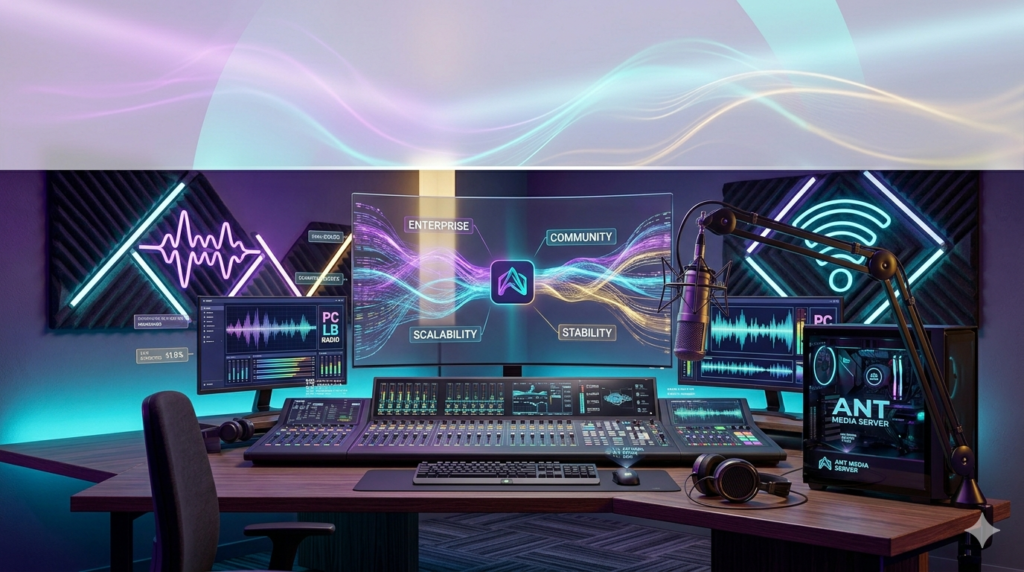


Download Ant Media Server Enterprise and Community Edition 2024 (A Complete Guide to Features & Deployment) from this link…

Overview of Ant Media Server
Table of Contents
Ant Media Server is a highly scalable, ultra-low latency streaming engine designed for businesses and developers who need to deliver live video and audio experiences. In the rapidly evolving world of real-time communication, Ant Media Server distinguishes itself by offering a solution that can handle everything from a simple video call to a massive live stream with sub-second latency.
The primary goal of the software is to serve as the “Streaming Engine of the World,” providing the infrastructure for interactive live streaming, video conferencing, and WebRTC-based applications. It is available in two primary editions: the open-source Community Edition and the feature-rich, enterprise-ready Enterprise Edition. This guide provides a detailed overview of the software’s capabilities, focusing on the significant improvements in version 2.5 and how to leverage them for your projects.
Key Features of Ant Media Server
Ant Media Server is built on a robust architecture that prioritizes performance and scalability. Its core features cater to a wide range of streaming needs.
-
Ultra-Low Latency Streaming: The server’s hallmark feature is its ability to deliver live streams with sub-second latency using the WebRTC protocol, which is essential for real-time interactions like video conferencing and interactive broadcasting.
-
Adaptive Bitrate (ABR): Ensures smooth playback across varying network conditions by automatically adjusting the video quality delivered to viewers, minimizing buffering and interruptions.
-
Simulcasting: Allows you to broadcast a single live stream to multiple platforms simultaneously, such as YouTube, Twitch, and Facebook Live, maximizing your audience reach.
-
Recording & Playback: Automatically record live streams for on-demand video content. The server supports recording in MP4 and HLS formats, making it easy to archive or repurpose content.
-
WebRTC to RTMP/RTSP: A crucial feature for developers, it acts as a bridge, ingesting WebRTC streams and converting them to RTMP or RTSP for distribution to traditional streaming platforms or CDNs.
-
Cluster & Scalability: Designed to scale horizontally, allowing you to add more servers to a cluster to handle an increasing number of concurrent viewers or publishers, ensuring high availability and performance.
-
REST API: Provides a comprehensive set of APIs for complete automation, allowing you to integrate Ant Media Server into your own applications, CI/CD pipelines, and management dashboards.
-
IP Camera Ingestion: Supports ingesting streams directly from IP cameras (using RTSP/RTMP), making it a powerful tool for security, surveillance, and IoT applications.
What’s New in Version 2.5
The v2.5 release marked a significant milestone, focusing on enhancing performance and developer experience. The key improvements revolve around making the server more robust for large-scale, real-time applications.
Enhanced Video Conferencing Performance
Version 2.5 introduced major optimizations for video conferencing. The server can now handle hundreds of users in a single conference call with unprecedented performance efficiency on both the browser and server-side. This improvement makes it a highly viable alternative to third-party conferencing services for enterprises seeking a self-hosted, private solution.
Redis Support for Reliable Data Storage
A critical architectural update in this version is the introduction of Redis support. Redis, an in-memory data store, is now integrated for both standalone and cluster modes. This allows users to connect any Redis service to store stream records, user sessions, and other metadata in a fast, reliable, and scalable way, significantly improving data persistence and cluster management.
New Conference Application: PortMeet
Alongside the server updates, version 2.5 introduced PortMeet, a free and open-source video conferencing application built to run on Ant Media Server. PortMeet is a ready-to-deploy solution for businesses that need a quick and customizable video conferencing platform. It can be deployed on-premises or in the cloud, offering full data control and privacy. Developers can also use PortMeet as a base to build their own custom video applications.
System Requirements
Before installing Ant Media Server, ensure your system meets the minimum requirements for optimal performance. Requirements may vary based on the edition and expected load.
| Component | Minimum Requirement (Community Edition) | Recommended (Enterprise Edition) |
|---|---|---|
| Operating System | Ubuntu 20.04 / 22.04 LTS | Ubuntu 20.04 / 22.04 LTS (Server) |
| CPU | 4 Core CPU | 8+ Core CPU (Intel Xeon or AMD EPYC) |
| RAM | 4 GB | 16 GB or more |
| Storage | 20 GB SSD | 100 GB+ SSD (for recordings) |
| Network | 100 Mbps | 1 Gbps (with a public IP address) |
| Ports | 80, 443, 5080, 5443, 1935, 5000-5050 (UDP for WebRTC) | 80, 443, 5080, 5443, 1935, 5000-5050 (UDP for WebRTC) |
Installation Guide
Installing Ant Media Server is straightforward. The recommended method is using the automated script on a fresh Ubuntu server. This guide covers the Enterprise Edition installation, but the steps are similar for the Community Edition.
-
Prepare the Server: SSH into your Ubuntu server and update the package list.
bashsudo apt update && sudo apt upgrade -y
-
Download the Installation Script: Download the official installation script from the Ant Media repository.
bashwget https://raw.githubusercontent.com/ant-media/Scripts/master/install_ant_server.sh -
Run the Installer: Execute the script with the desired edition. For the Enterprise Edition (which includes a trial license), use the
-eflag.bashsudo chmod +x install_ant_server.sh sudo ./install_ant_server.sh -e
-
For the Community Edition, omit the
-eflag.
-
-
Access the Web Panel: After a successful installation, access the management panel by opening a web browser and navigating to:
http://<your_server_ip>:5080 -
Complete Setup: Follow the on-screen prompts to set up an admin username and password. You can now start publishing and viewing streams.
How to Use the Software
Ant Media Server provides multiple ways to interact with its streaming capabilities. Here are two common methods:
1. Using the Web Panel for Live Streaming
-
Publish a Stream: Log in to the web panel. Navigate to
Live Broadcast>New Live Stream. You can publish from your browser using your camera and microphone or by providing an RTMP/RTSP source URL. -
View a Stream: Once a stream is published, its name appears in the list. You can view it by clicking the “play” button, which will open a WebRTC player for sub-second latency viewing.
2. Using PortMeet for Video Conferencing
-
Deploy PortMeet: As mentioned in the “What’s New” section, download the PortMeet WAR file from the Nexus Repository. Place the WAR file in the
/usr/local/antmedia/webappsdirectory. The server will automatically deploy it. -
Start a Conference: Navigate to
https://<your_server_ip>:5443/PortMeet(orhttp://<your_server_ip>:5080/PortMeet). You can create a new room and share the room URL with participants to start a video conference instantly.
Best Use Cases
Ant Media Server’s flexible architecture makes it suitable for a wide array of applications.
-
Enterprise Video Conferencing: Deploy a private, secure video conferencing solution using PortMeet or a custom app, ensuring all data remains within the organization’s network.
-
Interactive Live Streaming: Power use cases like live auctions, Q&A sessions, online education, and telehealth where real-time, two-way interaction is critical.
-
Surveillance & Security: Ingest streams from thousands of IP cameras for centralized monitoring, recording, and real-time alerting systems.
-
Gaming & E-sports: Deliver live gameplay to a massive audience with minimal delay, enabling real-time interaction between players and viewers.
-
IoT & Telepresence: Build applications for remote robot control or drone video streaming where low latency is non-negotiable.
Advantages and Limitations
Understanding the strengths and weaknesses of Ant Media Server helps in making an informed decision.
Advantages
-
Exceptional Latency: Outperforms many competitors by consistently achieving sub-second latency with WebRTC.
-
Scalability: Built from the ground up for horizontal scaling, making it suitable for startups and large enterprises alike.
-
Flexibility: Offers both open-source (Community) and commercial (Enterprise) versions, allowing teams to start small and scale as needed.
-
Strong Developer Ecosystem: Provides a comprehensive REST API, supports custom applications (like PortMeet), and is built on Java, a widely adopted language.
Limitations
-
Complexity: While installation is simple, mastering the configuration for large-scale clusters and optimizing for specific use cases requires technical expertise.
-
Resource Intensive: Running WebRTC at scale can be CPU-intensive. Proper capacity planning is required to manage server resources effectively.
-
Enterprise Edition Cost: The most advanced features (like cluster management and advanced analytics) are locked behind the paid Enterprise Edition, which is a consideration for larger projects.
Alternatives to Ant Media Server
Depending on your specific needs, several alternatives offer different trade-offs in terms of features, complexity, and cost.
| Software | Key Strength | Best For |
|---|---|---|
| Jitsi | Open-source, highly customizable video conferencing | Teams needing a free, self-hosted conferencing solution with a focus on meetings. |
| Wowza Streaming Engine | Mature, robust, and feature-rich for broadcast streaming | Enterprises needing a reliable, all-in-one platform for large-scale live streaming events. |
| Red5 Pro | Specialized in low-latency streaming | Developers building scalable, real-time streaming applications with a focus on ease of use. |
| Nimble Streamer | Lightweight and cost-effective for transcoding and packaging | Teams primarily focused on content delivery and adaptive bitrate streaming to CDNs. |
Frequently Asked Questions
1. What is the main difference between Ant Media Server Community and Enterprise Edition?
The Community Edition is open-source and includes core WebRTC and RTMP streaming features. The Enterprise Edition adds advanced capabilities like horizontal clustering, adaptive bitrate (ABR), simulcasting, load balancing, and a commercial license for production deployments.
2. Can I use Ant Media Server for a large-scale webinar with thousands of viewers?
Yes, Ant Media Server is designed for scalability. For large-scale events, the Enterprise Edition’s clustering and load-balancing features allow you to add servers to a cluster to distribute the viewer load and maintain performance.
3. How do I secure my Ant Media Server deployment?
Best practices include running the server behind a firewall with only necessary ports open, enabling SSL/TLS (HTTPS) for the web panel, using strong admin credentials, and configuring the server’s built-in token-based security for stream publishing and playback.
4. Does Ant Media Server support recording streams?
Yes, both Community and Enterprise Editions support recording. You can configure streams to be automatically recorded in MP4 or HLS format, and with Redis support in version 2.5, you can manage these recordings more reliably in a clustered environment.
5. What streaming protocols does Ant Media Server support?
It supports WebRTC for ultra-low latency, RTMP for ingest, HLS for high-scale distribution, and RTSP for IP camera ingestion. It also acts as a bridge, converting between these protocols.
6. Is there a free trial available for the Enterprise Edition?
Yes, the Enterprise Edition installation includes a trial license that allows you to test all its advanced features for a limited time. You can request an extended trial or purchase a license from the official website.
Final Thoughts
Ant Media Server stands out as a powerful and performance-driven solution in the live streaming and real-time communication landscape. With the significant enhancements in version 2.5, including improved video conferencing performance, robust Redis integration, and the introduction of the PortMeet application, it has solidified its position as a top-tier choice for developers and businesses. Whether you are building a niche interactive app with the Community Edition or scaling a global streaming platform with the Enterprise Edition, Ant Media Server provides the core engine needed to turn your vision into reality. Its commitment to ultra-low latency, coupled with a flexible and scalable architecture, makes it a worthy investment for anyone serious about delivering high-quality, real-time video experiences.
Premium Software Support Service
If you need professional help with software installation, setup, or technical configuration, our team is available to assist you.
Contact & Support
For quick assistance and latest updates, connect with us using the links below:
🔹 Direct Telegram Support
https://t.me/PlayoutKing
🔹 Official Telegram Updates Group
https://t.me/yourgroup
Service Policy
- Remote testing available through AnyDesk before confirmation.
• Verify the setup and performance before completing the order.
• Support available for single or multiple systems.
• Step-by-step guidance to ensure smooth installation and working environment.
Our goal is to provide reliable technical assistance so your software runs smoothly without interruptions.