
Download the Amigo AirCaster 4.0 (Professional Broadcast Playout & Media Automation Software) from this link…

Overview of the Software
Table of Contents
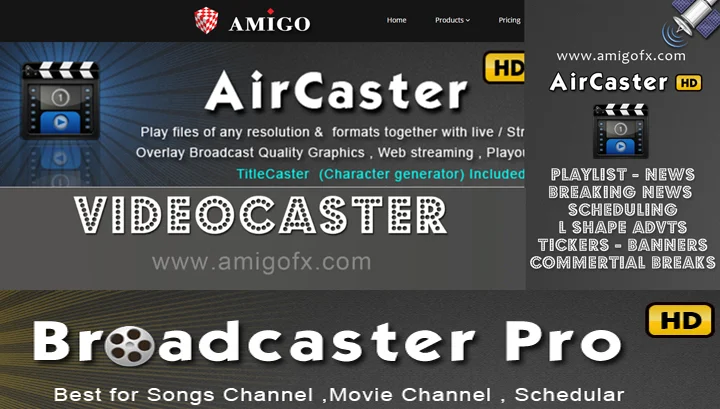
Amigo AirCaster is a software-based playout channel developed by AmigoIT, designed to replace traditional, expensive hardware-based broadcast equipment. It functions as a complete media server, allowing users to schedule, play, and manage video and audio content with precision. By leveraging standard IT hardware, AirCaster makes professional-grade broadcast automation accessible for a variety of applications, from 24/7 television channels to digital signage and live event production. Its architecture is built around stability and format flexibility, ensuring that broadcasters can maintain a consistent on-air presence without interruption.
Key Features
Amigo AirCaster is packed with features that cater to the rigorous demands of the broadcast industry. These functionalities ensure smooth operations and professional output.
-
Multi-Channel Playout: Manage and broadcast multiple channels simultaneously from a single server, streamlining complex broadcast operations.
-
Advanced Playout Automation: Create intricate playlists with sophisticated scheduling, including precise timing, transition effects, and conditional events.
-
Comprehensive Format Support: The software supports a wide range of professional codecs and containers, including MOV, MP4, MXF, AVI, and native support for XDCAM, DV, and MPEG-2 formats.
-
Live Input Integration: Seamlessly integrate live sources, such as satellite feeds or camera inputs, into your playout schedule for news, sports, or live events.
-
Real-time Graphics and Logo Insertion: Overlay static logos, animated graphics, and lower-thirds onto your video output without needing external hardware.
-
Watch Folder Automation: Configure hot folders where simply dropping a media file triggers automated playout or ingestion, ideal for quick-turnaround content.
-
Closed Caption Support: Ensure accessibility and compliance with support for embedded closed caption standards.
System Requirements
To run Amigo AirCaster 4.0 effectively, your system must meet specific hardware and software prerequisites to ensure stable performance, especially for 24/7 mission-critical operations.
| Component | Minimum Requirement | Recommended Specification |
|---|---|---|
| Operating System | Windows 7 Professional 64-bit | Windows 10 Pro or Windows 11 Pro 64-bit |
| Processor (CPU) | Intel Core i5 (4th Gen) | Intel Core i7 (6th Gen or newer) or Xeon |
| Memory (RAM) | 8 GB | 16 GB or higher |
| Storage | 7200 RPM HDD | SSD or High-speed RAID array for video storage |
| Graphics Card | DirectX 11 compatible GPU | Dedicated GPU (e.g., NVIDIA Quadro series) |
| Audio | Standard onboard audio | Professional ASIO sound card for multi-channel out |
Note: For broadcast-critical applications, it is always recommended to use certified hardware and consult with an AmigoIT partner for a turnkey solution.
Installation Guide
Installing Amigo AirCaster is a straightforward process, but proper preparation is key to ensuring a stable broadcast environment.
-
Pre-Installation Checks: Verify that your hardware meets or exceeds the recommended system requirements. Ensure all hardware drivers, especially for graphics and I/O cards, are up to date.
-
Run the Installer: Locate the official Amigo AirCaster installation file provided by your distributor. Right-click the installer and select “Run as Administrator” to ensure proper system integration.
-
License Activation: Upon first launch, the software will prompt you for a license key. Enter the key provided with your purchase to unlock the full feature set. This may require an internet connection for online activation or a manual file-based activation for offline systems.
-
Initial Configuration: After activation, the software will guide you through initial setup, including defining your media storage folders, configuring audio routing, and setting up your output format.
-
Testing: Before going live, run a test playlist for several hours to monitor system stability and resource usage.
How to Use the Software
Amigo AirCaster is designed with a user-friendly interface that balances power with efficiency. Here is a basic workflow for getting content on air:
-
Ingest Media: Import your video files directly into the integrated media database. The software will analyze and register the clips, making them available for playout.
-
Build a Playlist: Navigate to the scheduler module and drag clips from your media library onto the timeline or playlist grid. You can adjust durations, add transitions, and set precise start times.
-
Add Graphics: Use the overlay tools to add a station logo (bug) to the corner of the screen or schedule lower-thirds to appear over specific clips in the playlist.
-
Preview and Play: Use the internal preview monitor to review your playlist. Once confirmed, take the channel to “On Air” mode to begin broadcasting.
-
Monitor Output: The software dashboard provides real-time monitoring of the current playing item, system health, and upcoming events.
Best Use Cases
Amigo AirCaster’s versatility makes it suitable for a wide range of professional environments.
-
24/7 Television Channels: Automate a full day’s programming for niche cable channels, community access TV, or in-house corporate networks.
-
Live Event Production: Use it as a video server for live event switching, playing back bumpers, commercials, and pre-recorded segments during conferences or concerts.
-
Digital Signage: Power large video walls or information displays in public spaces, museums, or retail stores with scheduled, high-quality video content.
-
Playout for Streaming: Serve as the master playout source for internet streaming platforms, ensuring your OTT (Over-The-Top) channel has a professional, reliable feed.
Advantages and Limitations
Understanding the strengths and potential challenges of Amigo AirCaster helps in making an informed decision for your broadcast infrastructure.
-
Advantages:
-
Cost-Effective: Reduces reliance on expensive dedicated broadcast hardware.
-
Format Flexibility: Handles a wide variety of codecs, eliminating lengthy transcoding workflows.
-
Scalability: Easy to expand from a single channel to multiple channels as your needs grow.
-
Automation Power: Advanced scheduling features reduce manual intervention and human error.
-
-
Limitations:
-
Hardware Dependency: Performance is directly tied to the quality and stability of the underlying PC hardware.
-
Learning Curve: Mastering the full depth of automation features requires dedicated training and practice.
-
Support: As a specialized tool, direct technical support may be region-specific and reliant on local integrators.
-
Alternatives to the Software
While Amigo AirCaster is a strong contender, the broadcast software market offers several other professional solutions. These alternatives are often compared in system integrator discussions:
-
OBS Studio: A popular, free, and open-source software for recording and live streaming. While powerful, it lacks the advanced scheduling and broadcast-specific automation of AirCaster.
-
vMix: A comprehensive live production software that combines mixing, virtual sets, and streaming, popular for live events and webcasting.
-
PlayBox Technology AirBox: A well-established competitor offering similar channel-in-a-box solutions for the broadcast industry.
-
CasparCG: An open-source playout software often used in conjunction with dedicated client software for graphics and automation, popular in public access and educational TV.
Frequently Asked Questions
Q1: Is Amigo AirCaster suitable for a beginner?
A: Amigo AirCaster is a professional tool with a learning curve. While the basic playback functions are intuitive, mastering its full automation and scheduling capabilities requires time. It is best suited for individuals with some background in broadcast or media production.
Q2: What video formats are natively supported?
A: The software offers native, GPU-accelerated playback for a wide range of professional formats, including but not limited to: MPEG-2, H.264/AVC, DV25/50, XDCAM, and MXF (OP-Atom). It also supports standard formats like MOV, MP4, AVI, and WMV.
Q3: Can I use Amigo AirCaster for live streaming to the internet?
A: Yes, Amigo AirCaster can be configured to output its program feed for internet streaming. This is typically achieved by sending the output to an encoding software or hardware that then pushes the stream to platforms like YouTube Live or a CDN.
Q4: What is the difference between the free trial and the full version?
A: The free trial allows users to test the full functionality of the software for a limited time (e.g., 30 days) to evaluate its suitability. The full version requires a purchased license key to operate without time restrictions or trial watermarks.
Q5: Do I need special hardware to use this software?
A: You can run the software on a standard, high-performance PC. However, for professional broadcast use, it is highly recommended to use systems with certified components like professional-grade graphics cards (NVIDIA Quadro) and, if needed, ASIO sound cards for professional audio breakout.
Q6: Can I run multiple channels on one computer?
A: Yes, Amigo AirCaster supports multi-channel playout. The number of channels you can run simultaneously depends entirely on the processing power, memory, and storage speed of your computer. A more powerful server can handle multiple independent playout channels.
Q7: Is there a mobile app to control the playout remotely?
A: This is feature-dependent. While core playout software is typically managed from the main workstation, many professional solutions offer web-based dashboards or companion apps for remote monitoring and basic control. It is best to check the official AmigoIT documentation for the specific version to confirm remote capabilities.
Final Thoughts
Amigo AirCaster 4.0 represents a powerful and flexible solution for the modern broadcaster and media professional. By shifting complex playout tasks from dedicated hardware to software, it empowers users to create professional, automated channels with greater efficiency and at a lower cost. For those willing to invest in the proper hardware and training, it offers a reliable pathway to building a sophisticated broadcast operation. The key to success with any professional tool lies in understanding its capabilities, respecting its requirements, and utilizing it within a legal and supported framework. By choosing licensed software, you ensure access to updates, technical support, and a stable, secure foundation for your content.
Premium Software Support Service
If you need professional help with software installation, setup, or technical configuration, our team is available to assist you.
Contact & Support
For quick assistance and latest updates, connect with us using the links below:
🔹 Direct Telegram Support
https://t.me/PlayoutKing
🔹 Official Telegram Updates Group
https://t.me/yourgroup
🔹 WhatsApp Community Group
https://chat.whatsapp.com/yourlink
Service Policy
- Remote testing available through AnyDesk before confirmation.
• Verify the setup and performance before completing the order.
• Support available for single or multiple systems.
• Step-by-step guidance to ensure smooth installation and working environment.
Our goal is to provide reliable technical assistance so your software runs smoothly without interruptions.