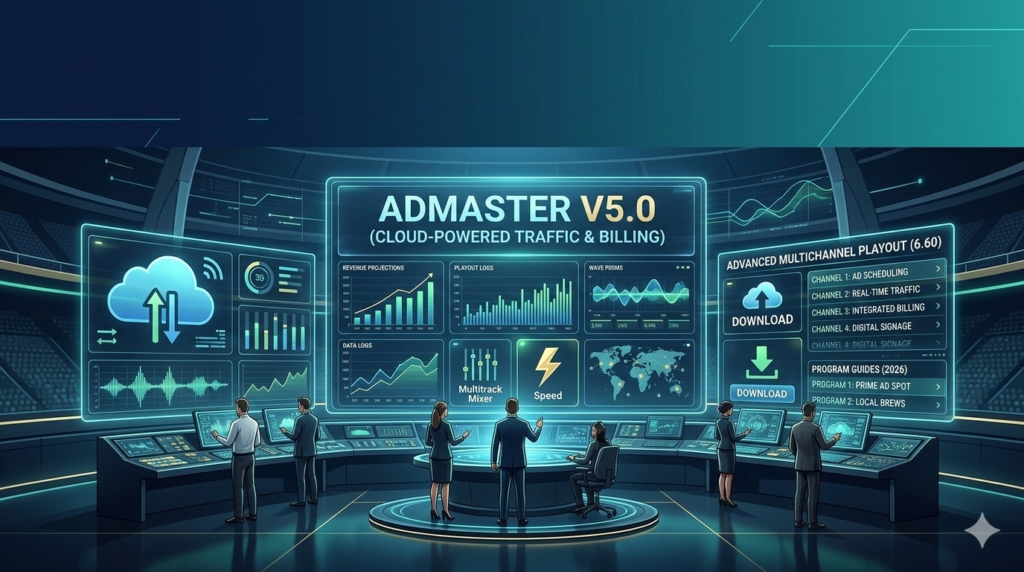

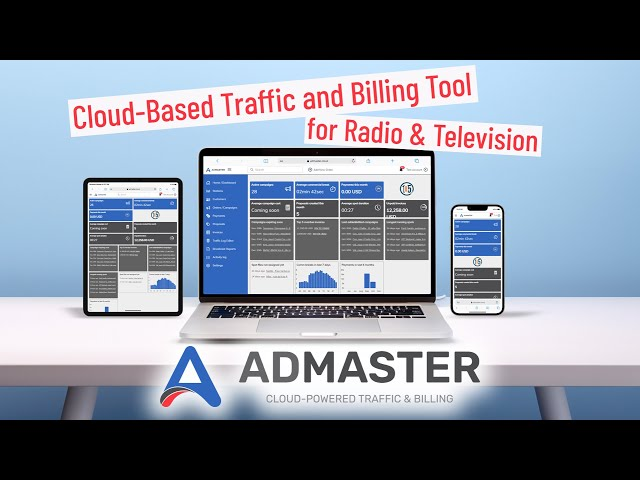
Download the ADmaster v5.0 – (Cloud-Powered Traffic & Billing) from this link…

Overview of the Software
Table of Contents
In the fast-paced world of broadcast media, managing advertising traffic, billing, and scheduling across multiple stations can be a logistical challenge. ADmaster v5.0 is a robust, cloud-powered traffic and billing software designed to streamline these complex operations for radio and television broadcasters. Moving beyond traditional on-premise solutions, this latest version offers a centralized platform that provides complete control over your advertising inventory from virtually anywhere.
At its core, ADmaster v5.0 automates the crucial link between sales, traffic, and programming. By integrating with major playout systems, it reads external traffic logs, imports schedules, and manages commercial breaks with precision. Whether you are a program director making real-time schedule adjustments or a traffic manager handling last-minute ad insertions, the software is built to handle the high-pressure demands of a 24/7 broadcasting environment. Its transition to a more robust cloud-based architecture ensures that your operations remain agile, whether your team is in the studio, at home, or on the go.
Key Features
ADmaster v5.0 distinguishes itself through a suite of powerful features designed to reduce manual effort and maximize revenue. Here are the key capabilities that make it an essential tool for broadcast professionals:
-
Cloud-Based Architecture: Access the system securely from any device with a browser—PC, tablet, or smartphone. This ensures you can manage schedules, approve logs, or check inventory without being tethered to a specific workstation.
-
Intelligent Traffic Log Import: Seamlessly integrates with external traffic and billing systems. The software automatically scans designated folders for log files, imports the data, and prepares it for air, ensuring consistency between sales and playback.
-
Automated Break Scheduling & Optimization: Utilizes advanced algorithms to automatically distribute commercial spots across breaks. It prevents overloading specific time slots and maintains a balanced, listener-friendly flow.
-
Customizable Output Formats: Configure the software to work with virtually any playout or scheduling system. If your specific automation system isn’t listed, the built-in configurator allows you to tailor the output format to meet your exact technical requirements.
-
Real-Time Sync & Multi-User Access: Changes made by one user are synced in real-time across the network. Multiple team members can access and manage schedules simultaneously, improving collaborative efficiency.
-
Flexible Billing and Inventory Management: Define pricing models, manage client orders, and track available inventory with precision. The system helps maximize revenue by ensuring high-value spots are utilized effectively.
-
Comprehensive Reporting Tools: Generate detailed reports on airtime, make-goods, preemptions, and financial performance, providing valuable insights for sales and management teams.
What’s New in ADmaster v5.0
Version 5.0 marks a significant evolution for the ADmaster platform, focusing on enhanced flexibility and deeper system integration.
-
Enhanced Cloud Functionality: While previous versions offered remote capabilities, v5.0 is built on a more robust cloud infrastructure. This means faster synchronization, improved uptime, and better performance across all browser-enabled devices.
-
Advanced Break Control Algorithms: The logic for scheduling and optimizing breaks has been refined. The new “Intelligent Override” feature allows for instant insertion of high-priority spots (Priority 1 & 2) without disrupting the overall schedule balance.
-
Expanded Playout System Integration: The list of pre-configured outputs for major playout systems has been expanded. The customization tool has also been upgraded, making it easier to create bespoke formats for proprietary or legacy systems.
-
Improved User Access Controls: Version 5.0 introduces more granular user permissions. Administrators can now define specific roles and access levels, ensuring team members only see and edit the information relevant to their tasks.
System Requirements
Being a cloud-based platform, ADmaster v5.0 places minimal demands on your local hardware. A stable internet connection is the most critical component for a smooth experience.
For End-Users (Accessing the Platform):
-
Operating System: Windows 10 or higher, macOS 11 (Big Sur) or higher.
-
Browser: Latest versions of Google Chrome, Mozilla Firefox, Safari, or Microsoft Edge.
-
Internet Connection: Broadband connection (5 Mbps or higher recommended for optimal performance).
-
Hardware: Standard modern PC or Mac with at least 4GB of RAM.
For Server/Integration (If hosting a local integration point):
-
Operating System: Windows Server 2016 or higher / Modern Linux distributions.
-
Processor: Intel Xeon or equivalent.
-
RAM: 8GB minimum (16GB recommended).
-
Storage: SSD with at least 20GB of free space for logs and temporary files.
-
Network: Static IP address and secure, high-bandwidth connection for real-time sync.
Installation Guide
Getting started with ADmaster v5.0 is straightforward, thanks to its cloud-first design.
-
Account Setup: Contact the ADmaster sales or support team to create your organization’s master account. They will provision your cloud environment.
-
Initial Configuration: A representative will typically assist with the initial setup, which involves:
-
Defining your stations and channels within the system.
-
Setting up user accounts and permissions for your team members.
-
-
Playout System Integration (The Key Step):
-
From the settings menu, select your specific playout automation system from the dropdown list.
-
Specify the correct network folders where your station’s logs, music files, and commercial spots are stored.
-
The software will then establish a secure connection to “watch” these folders for new or updated traffic logs.
-
-
Custom Formatting (If Needed): If your playout system is not listed, use the built-in configurator to map ADmaster’s output fields to the input fields required by your system. This ensures perfect compatibility.
-
Go Live: Once the test logs are imported and scheduled correctly, the system is ready for live operation.
How to Use the Software
Navigating ADmaster v5.0 is intuitive. Here’s a look at a typical workflow:
1. Importing Traffic Logs:
Once the integration is set up, the process is automatic. The software continuously monitors your specified folders. When a salesperson finalizes an order in your external traffic system, the generated log is placed in the folder. ADmaster picks it up, validates the data, and makes it available for scheduling.
2. Building and Managing Breaks:
Navigate to the scheduling dashboard for a specific station and day.
-
Create Breaks: Define commercial breaks with custom parameters like total duration and backtiming.
-
Populate Spots: Drag and drop available spots into breaks. The system’s algorithms can automatically populate breaks to optimize fill rate and balance spot rotation.
-
Apply Priority: Assign priority levels (e.g., Priority 1 for premium spots) to ensure critical ads air as scheduled. The system respects these levels during automatic fills and manual adjustments.
3. Making Real-Time Adjustments:
Need to insert a last-minute paid spot?
-
Find a suitable break.
-
Use the Intelligent Override feature. Select the spot and set it to “Priority 1.”
-
The software will insert the spot, making micro-adjustments to the break’s composition to accommodate it while keeping the total break time accurate.
4. Remote Monitoring and Control:
Log in from any browser. The interface adapts to your screen, whether you are on a desktop in the office or a tablet at home. You can view the upcoming playlist, check for discrepancies, and make urgent changes in real-time, with all updates syncing instantly for your team and the on-air automation system.
Best Use Cases
ADmaster v5.0 is versatile enough to handle a variety of broadcasting scenarios.
-
Multi-Station Radio Groups: A single traffic manager can oversee logs and commercial breaks for five different stations from one dashboard. Customizable templates ensure each station maintains its unique sound and break structure.
-
Public and Community Broadcasters: Non-commercial stations can leverage the system for precise timing of underwriting spots and pledge-drive messaging. The ability to set custom duration limits for different announcement types is invaluable.
-
Television Channels with Complex Ad Pods: For TV broadcasters, managing complex ad pods with varying spot lengths (15s, 30s, 60s) is simplified. The software ensures the pod is always filled to its exact second, preventing dead air.
-
Remote Production Teams: In a modern, distributed workflow, a producer can manage the commercial log from a remote location while the technical director runs the board in the studio. Real-time sync keeps everyone on the same page.
Advantages and Limitations
Advantages
-
Unmatched Flexibility: The cloud-based access is a true game-changer for remote work and multi-location management.
-
High Reliability: Automated log import and real-time sync drastically reduce human error compared to manual data entry.
-
Scalable Architecture: Equally effective for a single station or a large network. The system grows with your operation.
-
Powerful Automation: Advanced break-filling algorithms save significant time and optimize ad placement to maximize revenue.
-
Customizable Integration: The ability to tailor outputs means it can work with almost any existing broadcast infrastructure.
Limitations
-
Learning Curve for Advanced Features: While basic scheduling is intuitive, mastering the full suite of customization tools and advanced algorithms may require dedicated training.
-
Dependence on Internet Connectivity: Full functionality relies on a stable internet connection. While local caching may occur, a major outage can disrupt real-time updates.
-
Initial Integration Complexity: For stations with highly proprietary or legacy systems, the initial setup and customization might require more extensive support from the ADmaster team.
Alternatives to the Software
While ADmaster is a powerful solution, the market offers other traffic and billing systems worth considering:
-
WideOrbit (WO Traffic): An industry-standard, enterprise-level solution for large television and radio groups. It is incredibly feature-rich but can be complex and costly to implement.
-
Marketron: A popular choice for radio, particularly in the US. It offers strong traffic and sales management tools but may not have the same level of direct playout system integration flexibility as ADmaster.
-
WiseTraffic: A robust option for mid-market broadcasters. It provides a good balance of features and is known for its strong reporting capabilities.
-
ProTrack (from RCS): Often bundled with RCS’s audio software like Zetta, ProTrack offers seamless integration within the RCS ecosystem, making it a strong contender for stations already using their products.
The best choice depends on your specific budget, station size, existing technical infrastructure, and required features.
Frequently Asked Questions
1. Is ADmaster v5.0 accessible on a Mac or just a PC?
Yes, it is fully accessible on a Mac. Since it is a cloud-based platform, you can log in securely from any modern web browser on macOS, Windows, or even Linux, as well as tablets and smartphones.
2. How does ADmaster handle last-minute ad insertions?
The software includes an “Intelligent Override” feature. You can assign a high priority (like Priority 1) to a last-minute spot, and the system will dynamically insert it into a suitable break while automatically adjusting the surrounding content to maintain the correct overall break duration.
3. Can I use ADmaster if my playout system isn’t in the dropdown list?
Absolutely. ADmaster v5.0 includes a powerful built-in format configurator. This tool allows you to manually map your system’s data fields to ADmaster’s output, enabling seamless integration with virtually any system. For complex setups, the ADmaster support team is available to assist in creating a custom solution.
4. What happens if my internet connection goes down?
A stable connection is required for real-time updates and remote access. However, the core scheduling and playback functions at the station level typically continue to operate based on the last successfully imported log. Once your connection is restored, ADmaster will sync with the on-air system to reconcile what actually aired with the schedule.
5. Is training required to use ADmaster v5.0?
The interface is designed to be user-friendly for basic tasks like viewing schedules. However, to leverage its full power—such as setting up complex templates, using the format configurator, and optimizing breaks with advanced algorithms—it is highly recommended to take advantage of the training and onboarding support provided by ADmaster.
6. How does the software help increase advertising revenue?
ADmaster helps maximize revenue through automated inventory management. It prevents valuable airtime from going unsold, optimizes the placement of spots to avoid waste, and provides clear reporting on available inventory. The priority-based insertion also ensures that premium, high-value spots always get the prominence they require.
Final Thoughts
ADmaster v5.0 stands out as a sophisticated yet accessible solution for broadcast traffic management. Its cloud-native architecture meets the modern need for flexibility and remote access, while its deep integration capabilities ensure it can fit into both new and legacy broadcast environments. By automating the tedious tasks of log importing and break scheduling, it frees up traffic managers and programmers to focus on strategic initiatives that drive listenership and revenue.
From my experience, the software excels in environments that demand precision and adaptability. Whether you’re managing a tight schedule for a small public station or overseeing complex ad pods for a major network, ADmaster v5.0 provides the tools to do the job efficiently and reliably. It successfully bridges the gap between the business of advertising and the art of broadcasting, making it a worthy investment for any station looking to modernize its operations.
Premium Software Support Service
If you need professional help with software installation, setup, or technical configuration, our team is available to assist you.
Contact & Support
For quick assistance and latest updates, connect with us using the links below:
🔹 Direct Telegram Support
https://t.me/PlayoutKing
🔹 Official Telegram Updates Group
https://t.me/yourgroup
🔹 WhatsApp Community Group
https://chat.whatsapp.com/yourlink
Service Policy
- Remote testing available through AnyDesk before confirmation.
• Verify the setup and performance before completing the order.
• Support available for single or multiple systems.
• Step-by-step guidance to ensure smooth installation and working environment.
Our goal is to provide reliable technical assistance so your software runs smoothly without interruptions.